Emojis
KeyboardKit makes it easy to use and type with emojis, and defines additional categories and version models.
Emojis
KeyboardKit has an Emoji struct that represents an emoji value. It also serves as a namespace for emoji-related types and views.
let emojis = Emoji.all        // 😀😃😄😁😆🥹😅😂🤣🥲...
Emoji("😀").localizedName     // Grinning Face
Emoji("👍").unicodeIdentifier // \\N{THUMBS UP SIGN}
Emoji("👍").skinToneVariants  // 👍👍🏻👍🏼👍🏽👍🏾👍🏿'
Categories
KeyboardKit has an EmojiCategory struct that defines standard and custom categories.
EmojiCategory.smileysAndPeople.emojis // 😀😃😄...
KeyboardKit will automatically persist selected emojis in custom .frequent and .recent categories, to let you tailor how a user can access often used emojis.
Versions
KeyboardKit has an EmojiVersion enum that defines all supported emoji versions.
EmojiVersion.v15.emojis // 🫨🫸🫷🪿🫎🪼🫏🪽🪻🫛🫚🪇🪈🪮🪭🩷🩵🩶🪯🛜...
KeyboardKit will automatically filter out emoji versions that the current device doesn’t support, to avoid that unsupported emojis appear in the emoji keyboard.
KeyboardKit Pro
KeyboardKit Pro unlocks an EmojiKeyboard that mimics the native emoji keyboard, with complete support for emoji categories, skin tones, search, etc.
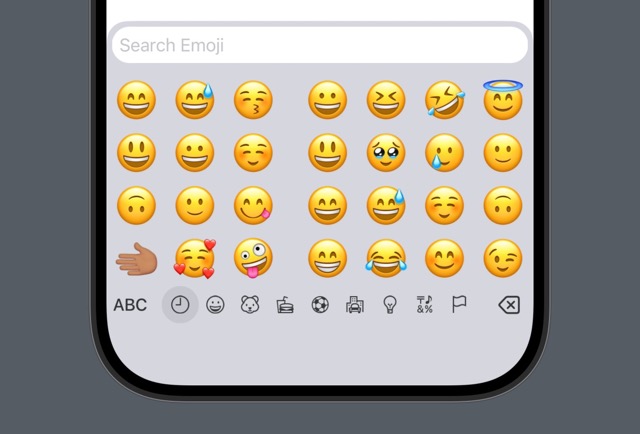
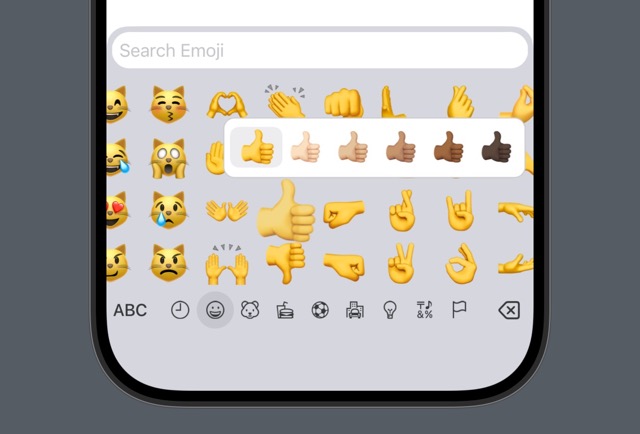
KeyboardKit will automatically register emojis as you use them, to populate the .frequent category. You can customize this behavior as you see fit.
KeyboardKit Pro also adds emoji search to the KeyboardView, to let your users search for matching emojis.
Documentation
The information on this page has been shortened to be easier to overview and keep up to date. For a complete feature description, see the online documentation.