iOS Keyboard Extensions Can't Detect the iPhone Duo Fold
The iPhone Duo is almost here, and iOS 27.1 brings new APIs for apps to adapt to its hinge. We wanted to give KeyboardKit the same capabilities, but keyboard extensions can’t seem to detect the fold.
iPhone Duo Changes
As we write in our previous article about the iPhone Duo, KeyboardKit must be adjusted for iPhone Duo and its various form factors. Besides keys and font sizes, keyboards should also split when the Duo is folded.
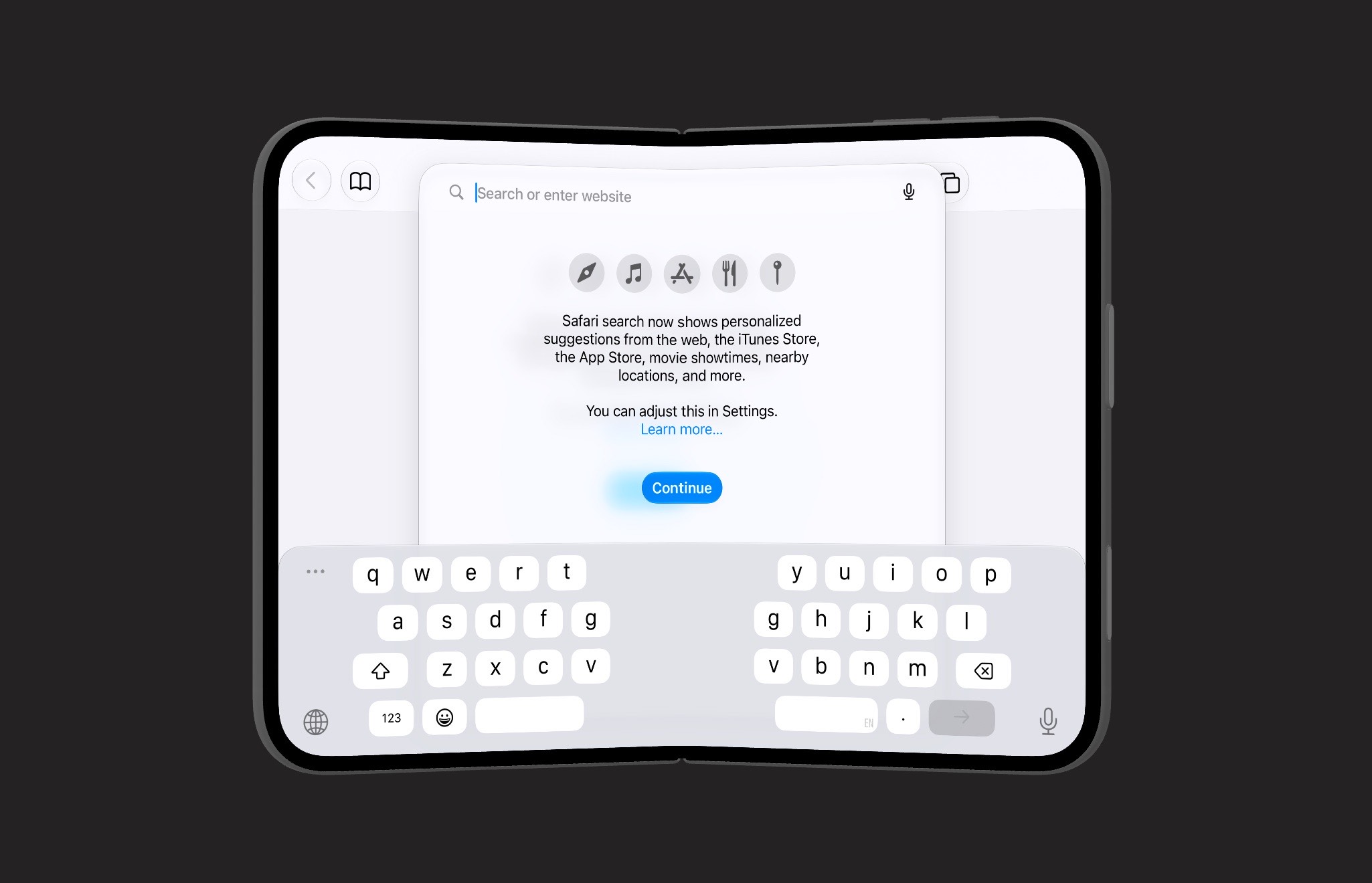
A keyboard extension must therefore check if it’s running on an iPhone Duo, and if so adjust the key sizes. If the hinge information indicates that the device is folded, it should split in two halves.
However, it seems that keyboard extensions can’t detect the hinge information. Below are details of what we’ve tried, what works in an app, and what doesn’t work in a keyboard extension.
New Hinge APIs
iOS 27.1 adds some ways to find out how the device is folded, for instance:
- Hinge state –
UIHingeInteractionin UIKit and.onHingeChangein SwiftUI. Both report the hinge state (closed,partiallyOpen,fullyOpen) and an angle. - Reserved regions –
UIView.reservedRegionsandGeometryProxy.reservedRegionswith the.divisionkind describes where the screen is divided by the fold.
This is exactly what a keyboard extension needs to adjust its keys around the fold. To explore what information a keyboard extension receives, we built a small test app with a KeyboardKit-based keyboard.
Test Project
Test project’s main app target checks the hinge state and division regions with SwiftUI. The keyboard extension checks the same thing in two ways: from the input controller (UIKit), and from the keyboard view (SwiftUI).
We haven’t uploaded the project, but you can reach out if you want to give it a try, and we’ll give you access to it.
Test Results
In the image below, we can see how the iPhone Duo behaves when it’s closed and the outer display is in use:
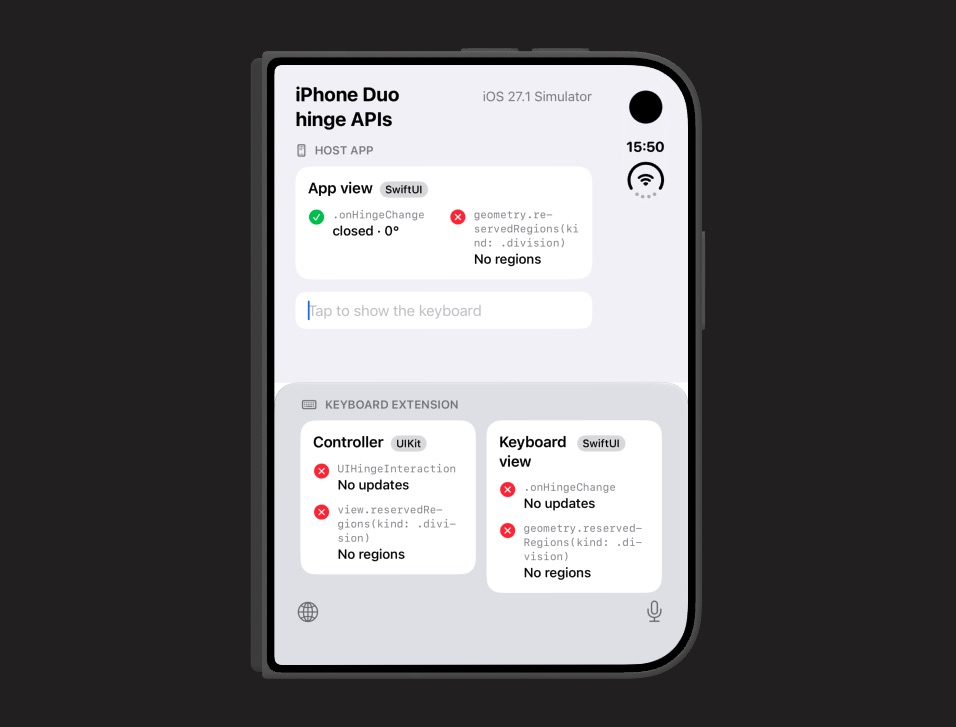
As you can see, the app shows that the hinge is closed and that there are no reserved division regions, while the keyboard doesn’t have any information.
When the iPhone Duo is semi-open in a folded state, the app updates accordingly, while the keyboard extension still has no information:
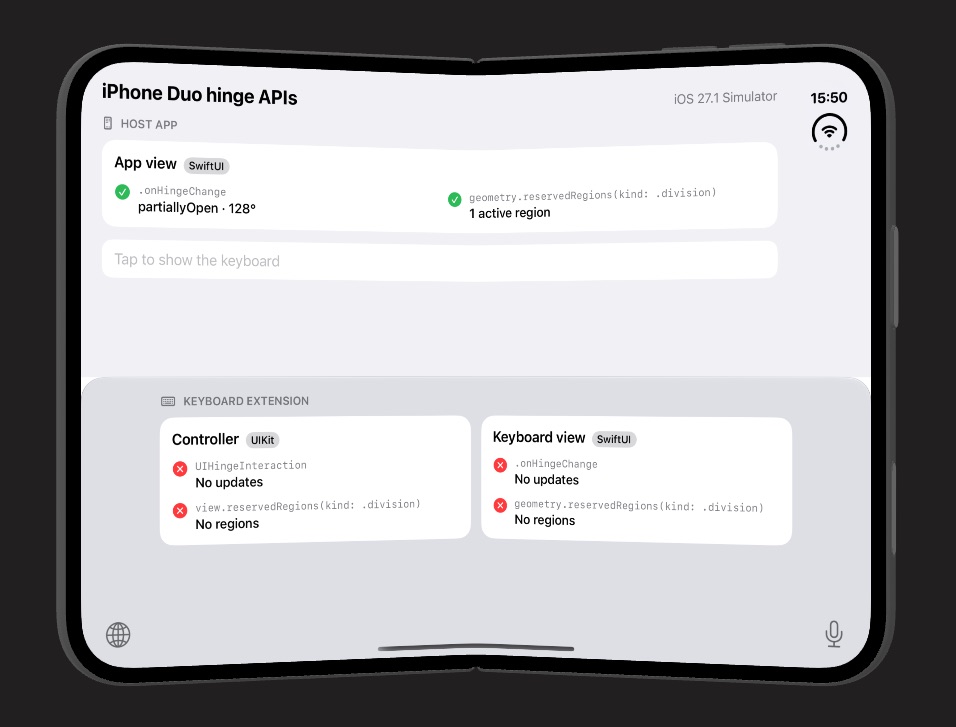
Finally, with the Duo fully open, the app still updates accordingly, while the keyboard still has no information:
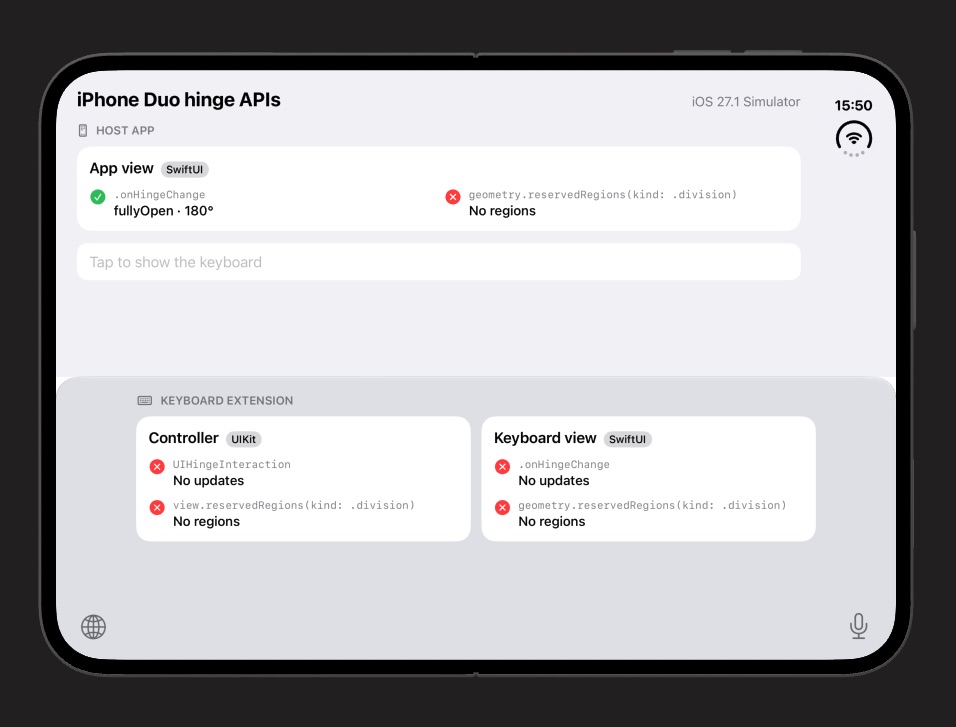
The app works as expected. It gets partiallyOpen when folded, and fullyOpen when flat. It also gets an active division region for the fold when the device is half-open, and none when it’s flat. Everything updates live as the hinge moves.
The keyboard extension gets nothing.
According to the documentation, the hinge handler is always called with the initial state, and with a nil hinge if the view isn’t in a hierarchy that provides hinge updates. In the keyboard extension it’s never called at all, not even with nil. We also tried adding the interaction to the extension window instead of its view, with no luck.
Implications
The native keyboard knows exactly where the fold is, and splits its keys around it when the device is folded half-open. Third-party keyboards can’t seem to do the same, which means they will look and feel worse than a native keyboard on a folded iPhone Duo.
These results are from the iPhone Duo simulator with iOS 27.1 (Xcode 27.1 RC). We haven’t been able to test on a physical device yet, and will update this post if a device behaves differently.
Conclusion
We have filed a feedback with Apple, asking for this information to be made available to keyboard extensions as well. If you file a feedback, please refer to FB25187339. Duplicates help Apple prioritize.
You can follow the progress in this GitHub issue.
Discussions & More
If you found this interesting, please share your thoughts on Bluesky and Mastodon. Make sure to follow to be notified when new content is published.