
iPhone Duo and KeyboardKit
iPhone Duo is here, and with it a bunch of new concepts and form factors. This post takes a quick look at what it will mean for KeyboardKit.
iPhone Duo
Since you most probably already know most about the iPhone Duo, we won’t go through it in detail, but in short it’s a smaller device that compensates for it’s shorter height by moving the status bar to the right.
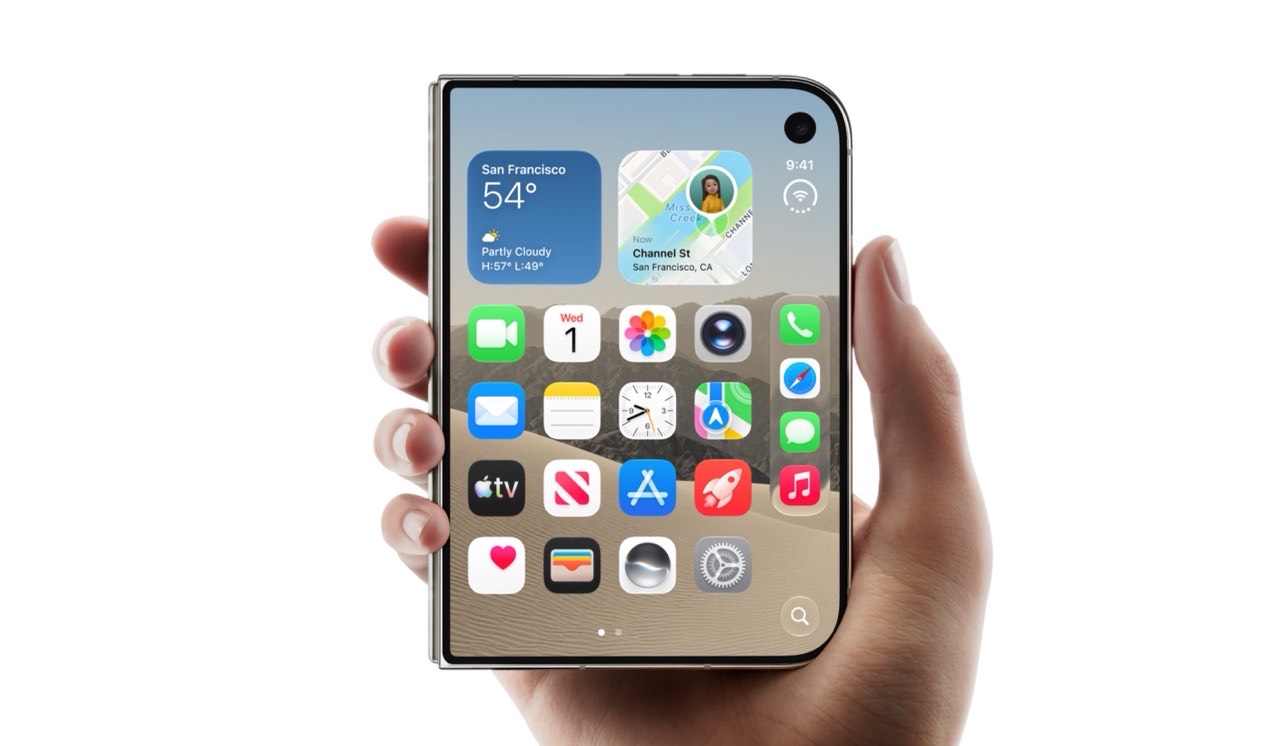
The iPhone Duo can then be folded out into twice it’s size, which brings it closer to an iPad in size and behavior.
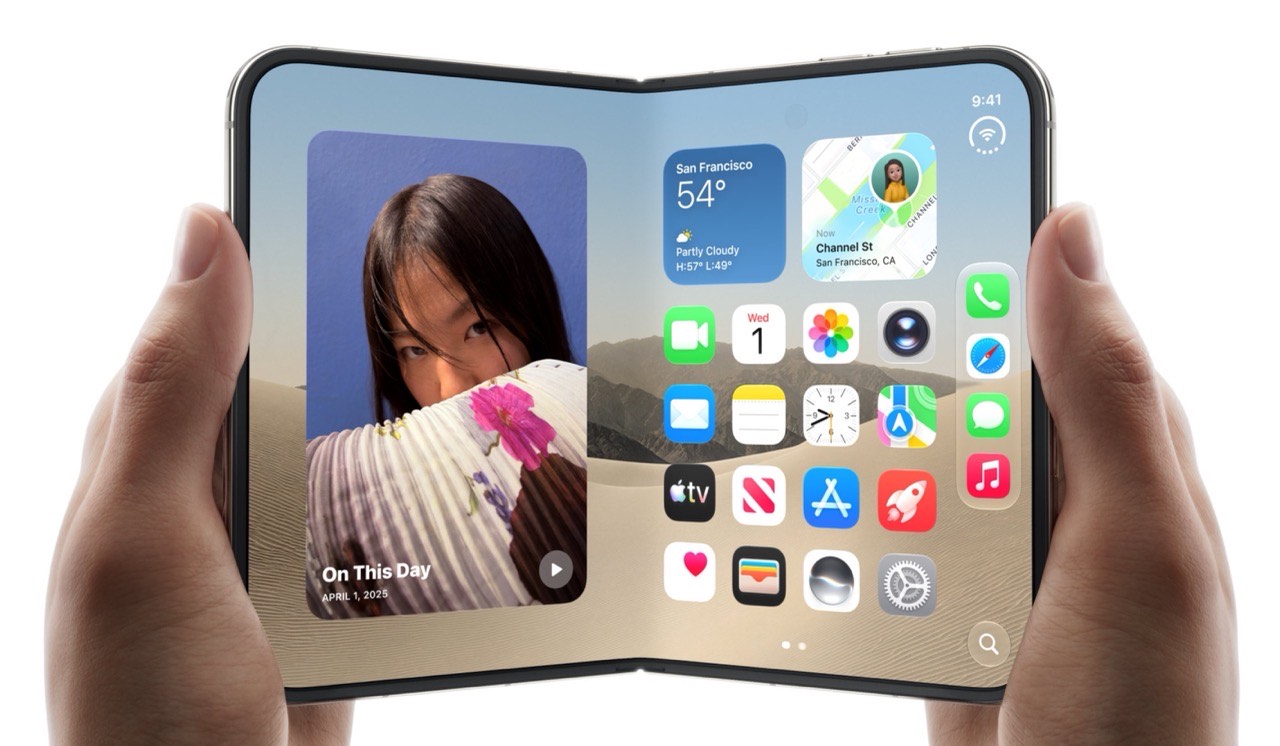
Let’s look at how the Duo’s native keyboard behaves, and compare it to how KeyboardKit behaves on the Duo.
Closed Keyboard
When the Duo is closed, the keyboard is more or less what you’d expect, although a couple of things stand out.
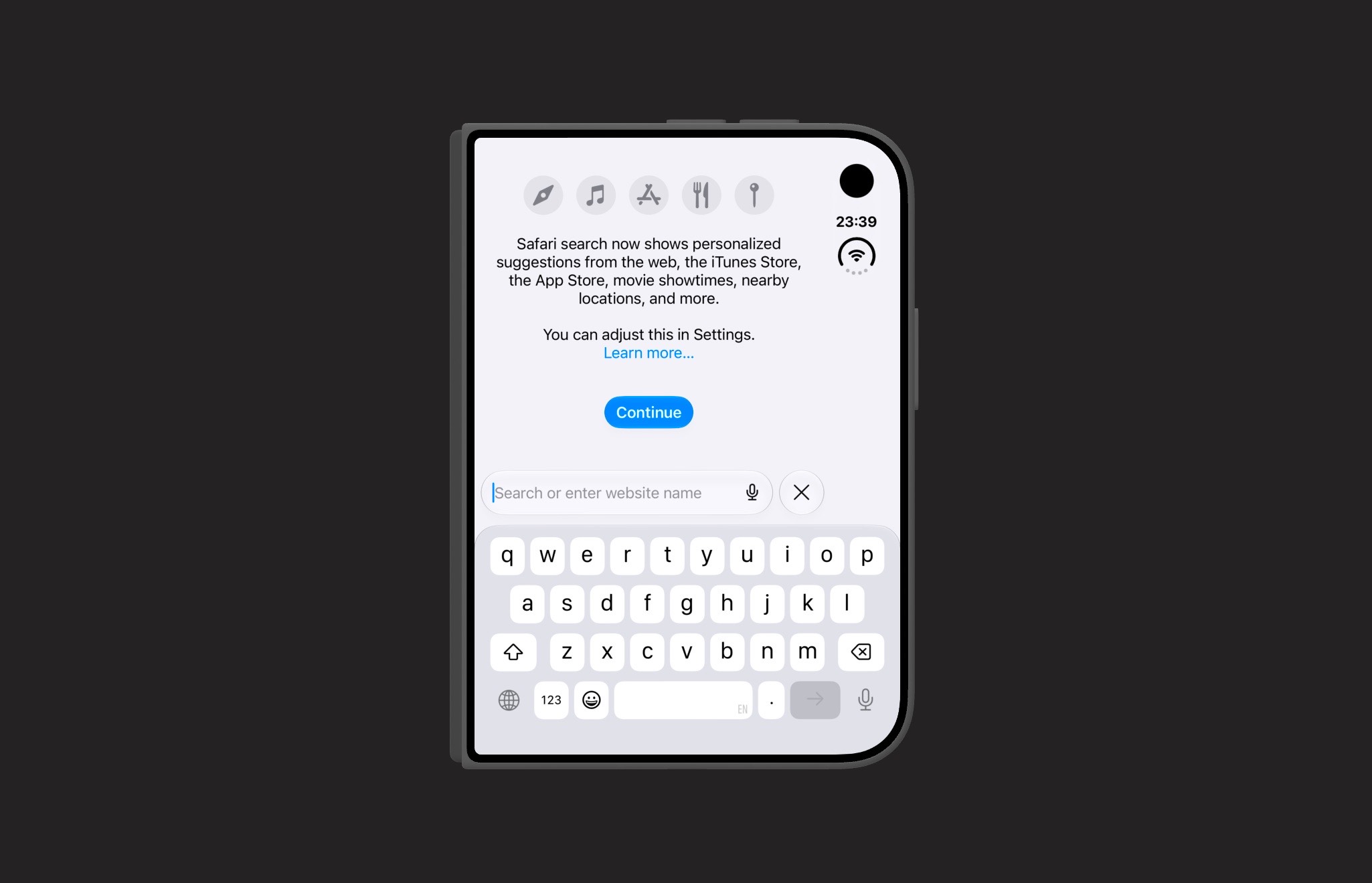
Notice how the globe and dictation buttons are added to the keyboard’s bottom row. This is a new behavior for iPhone, where FaceID devices add these buttons outside the keyboard area. Let’s compare it with KeyboardKit.
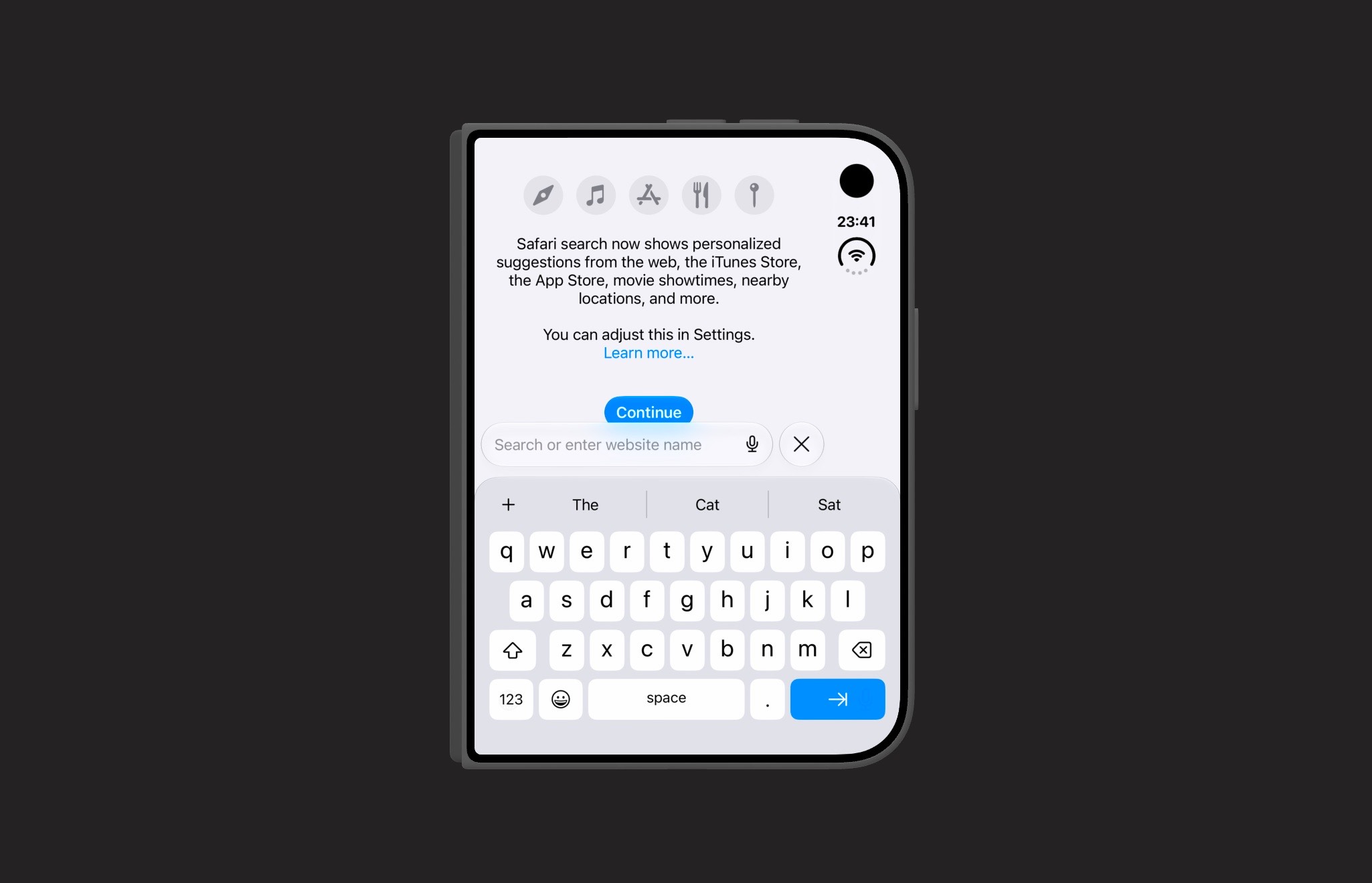
While the keyboard looks good, it still behaves like on a regular device and doesn’t add these two buttons to the bottom row. Since the Duo also doesn’t add them, we end up without the buttons altogether. This must be fixed.
Folded Keyboard
When the Duo is folded, we can immediately see a big difference - the keyboard is split around the screen fold!
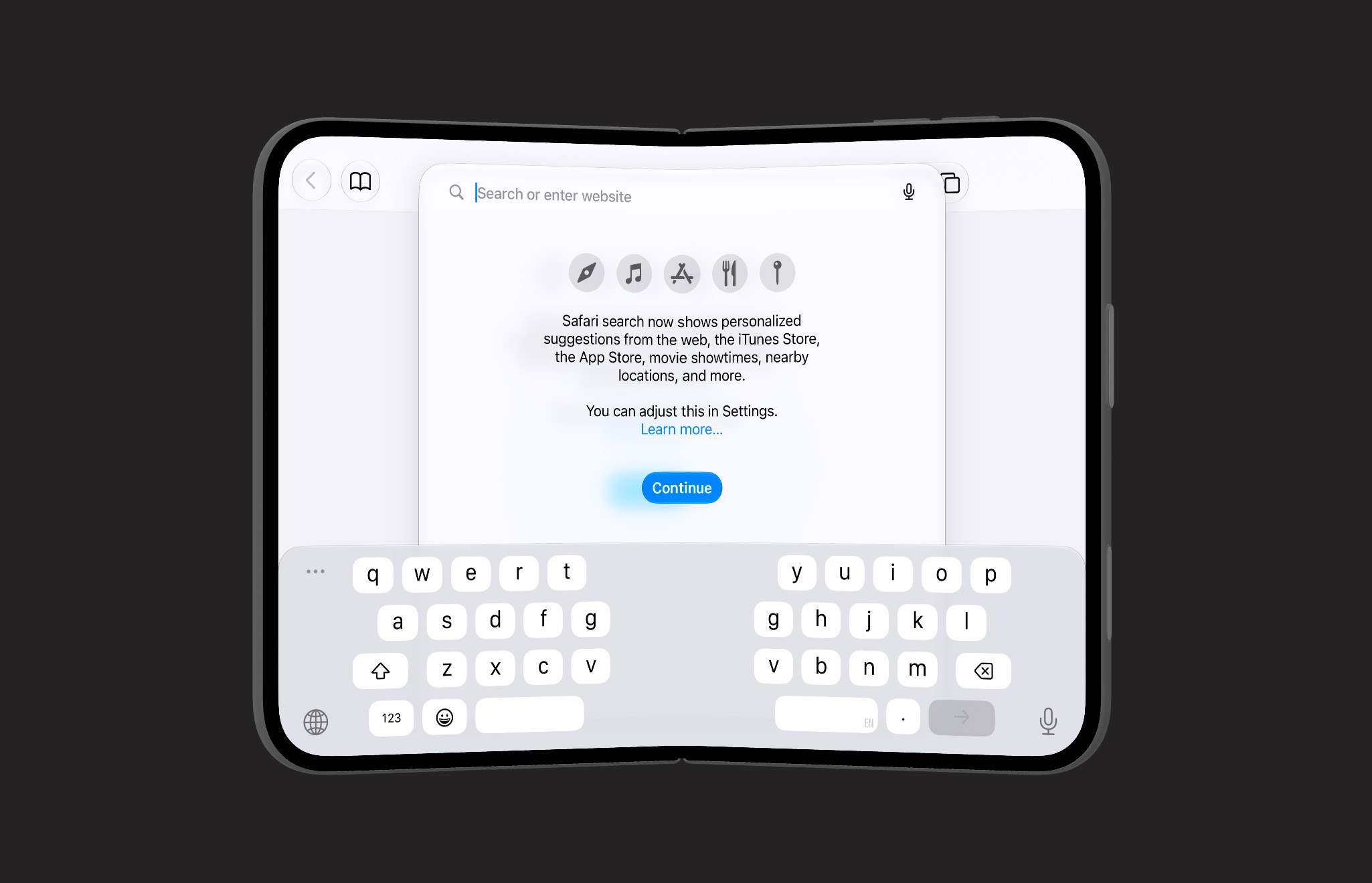
Apple strongly recommends moving interactive elements away from the fold, and the keyboard is no exception. Also notice that the globe and dictation buttons are now outside the keyboard. Let’s compare with KeyboardKit.
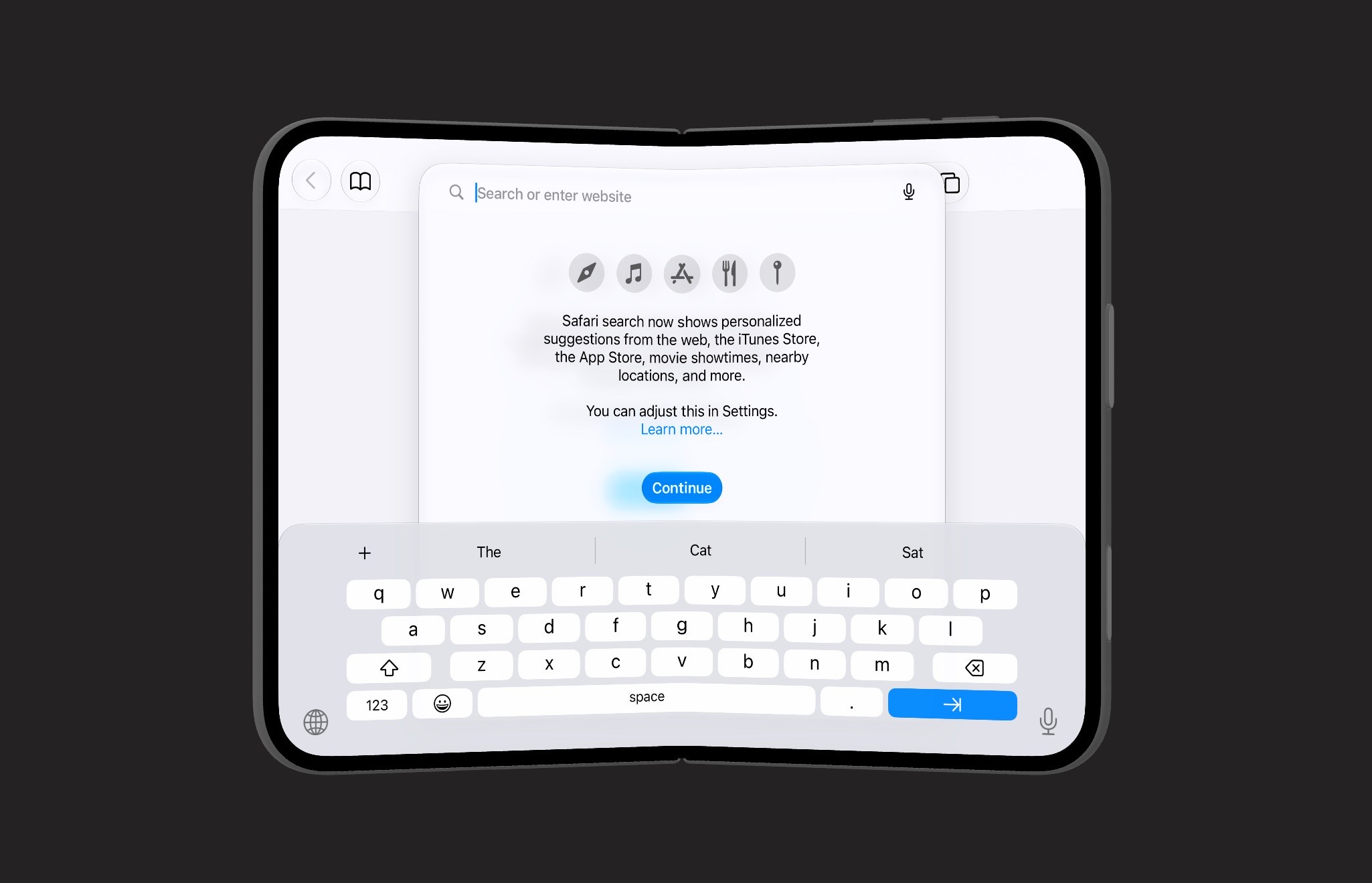
Since KeyboardKit still behaves like on a regular device, it renders with the landscape configuration, which leads to smaller keys. It also doesn’t split the keyboard in two, but it does get the globe and dictation buttons.
Open Keyboard
When the Duo is folded open, things start to behave like normal again. We get a solid landscape keyboard with the globe and dictation buttons placed outside the keyboard.
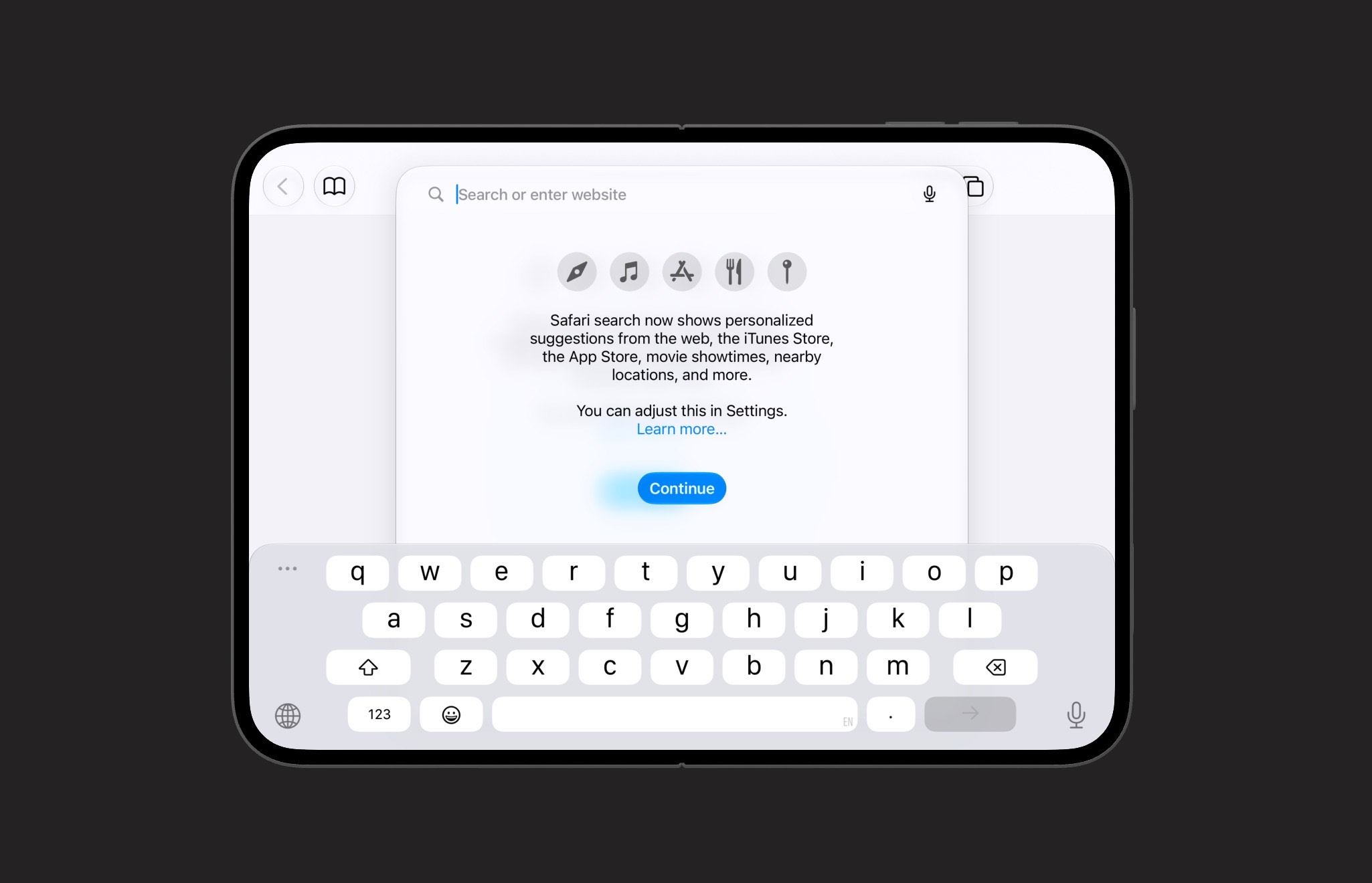
However, notice how the rows are a bit uneven, with different width. Let’s compare it with the old design, which is still used in the KeyboardKit keyboard.
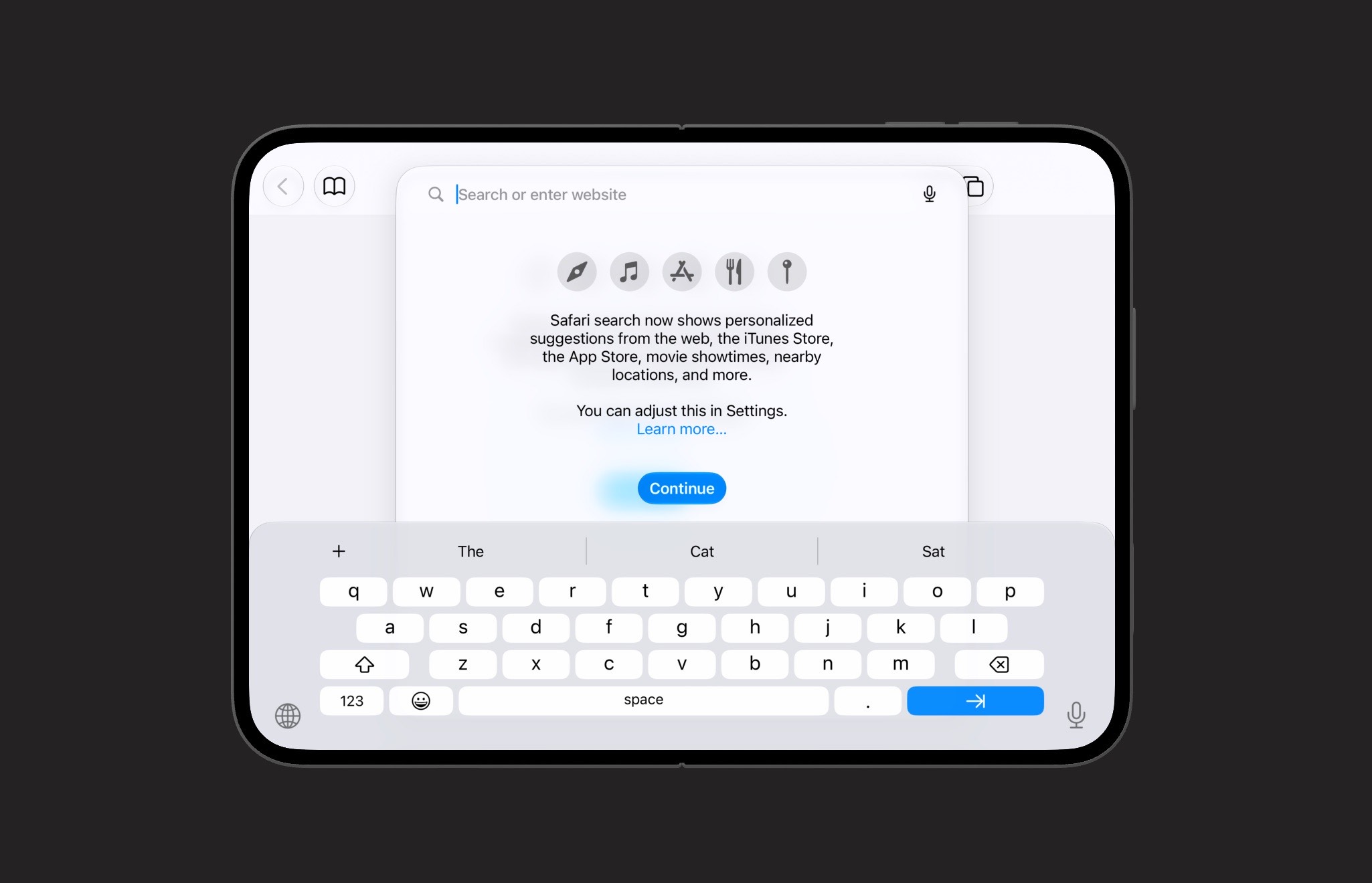
This works, but the keyboard behaves like on a regular device, with shorter keys, smaller font, and with all rows except the second being even in width.
Conclusion
The iPhone Duo forces us all to adjust our apps to its new form factors, and KeyboardKit is no different. We will tweak the keyboard layout and sizes to the new configurations, and start looking at a split layout.
This work will begin after the KeyboardKit 11 release, which is scheduled for October 1. After that, we hope to get support out shortly after the Duo has been released.
Discussions & More
If you found this interesting, please share your thoughts on Bluesky and Mastodon. Make sure to follow to be notified when new content is published.