
The KeyboardKit app is being redesigned for the iPhone Duo
With KeyboardKit 11 out, we have started preparing the KeyboardKit app for iPhone Duo. Let’s take a look at how the app adapts to the Duo’s different form factors, and how these changes improve the app on iPad.
The Settings app
Since the KeyboardKit app behaves just like the iOS Settings app, it made sense to look at how that app behaves on the Duo, and approach it the same way.
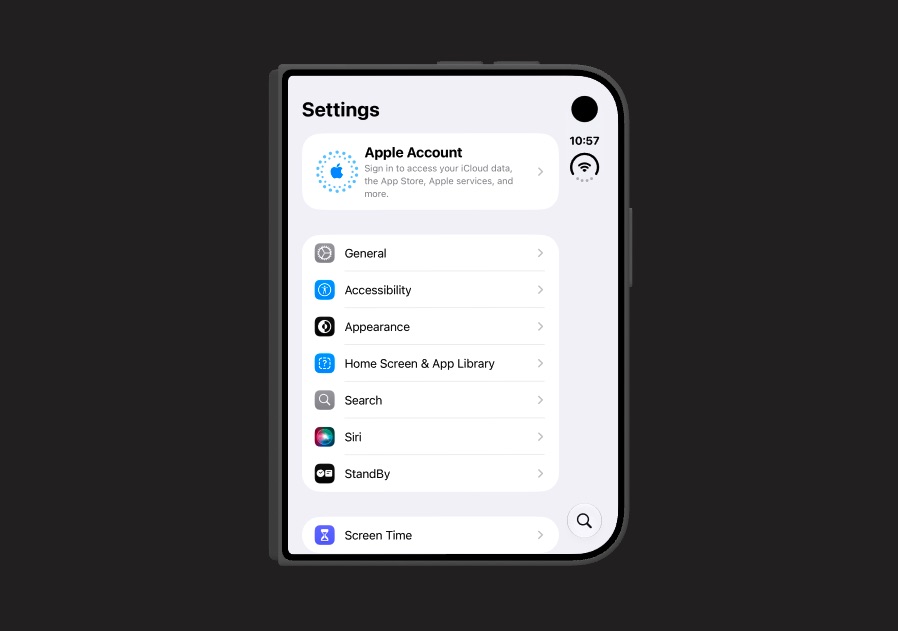
When the iPhone Duo is closed, the Settings app uses a navigation stack and pushes new screen onto the stack.
However, when the iPhone Duo is open or folded, the Settings app switches to a navigation stack, with a sidebar to the left and the selected settings screen to the right.
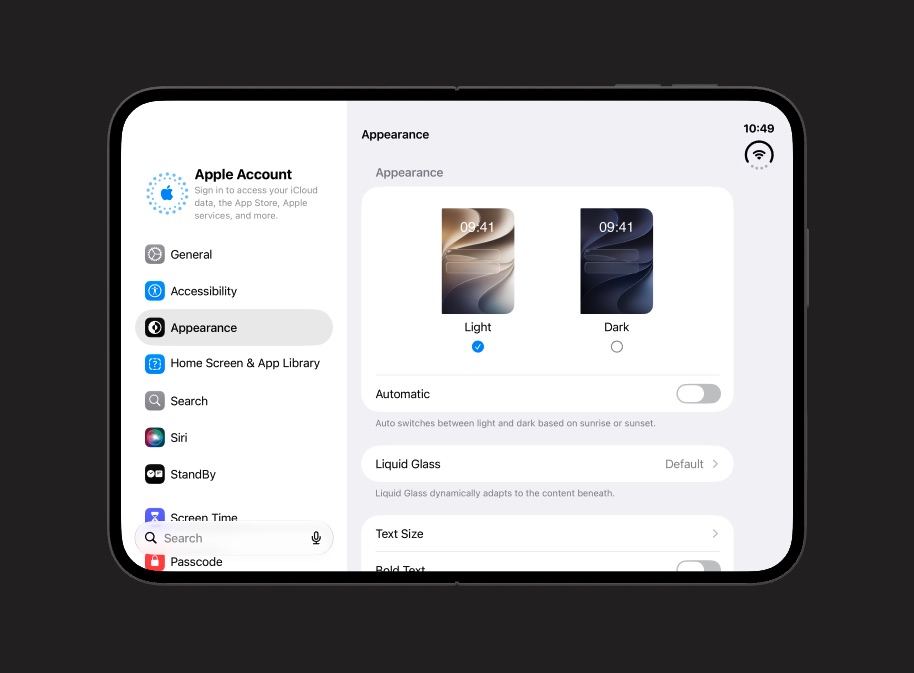
Unlike the default iOS split view behavior, this sidebar is always open, and the toolbar sidebar toggle is hidden, so this is the configuration we’ll go with as well.
iPhone Duo
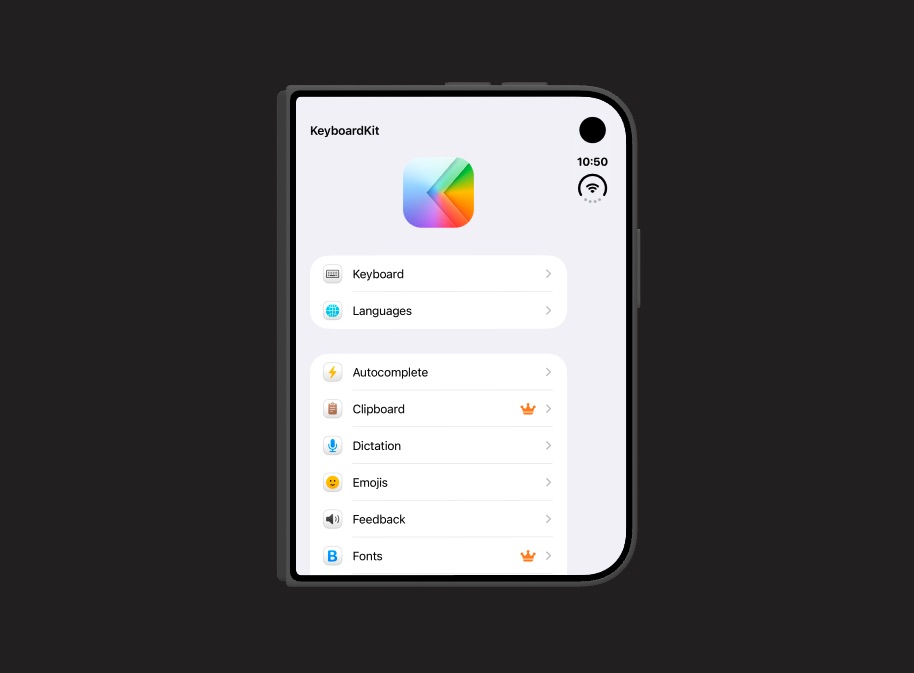
When the iPhone Duo is closed, the KeyboardKit app behaves just like on a regular iPhone. The main menu is presented as a list, and tapping an item pushes the selected settings screen onto the navigation stack.
When the device is folded, the app switches to a split view, with the sidebar always open. The two screens are placed on each side of the fold to keep interactive elements away from the fold, as Apple recommends.
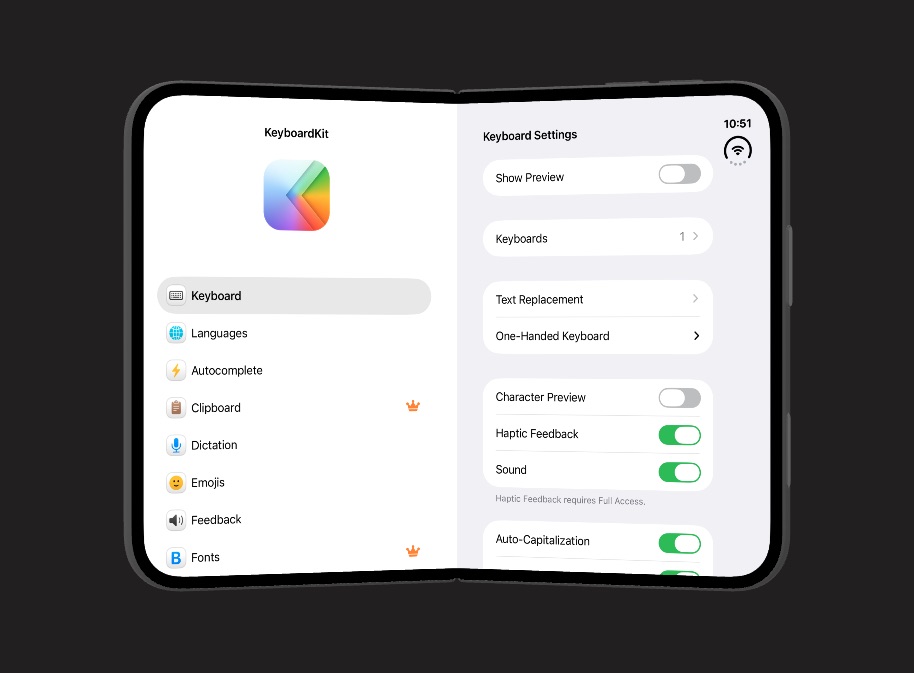
When the Duo is folded fully open, the sidebar becomes narrower, which gives the selected screen more space. This is closer to how the app behaves on iPad, although the Duo still places the status bar to the right.
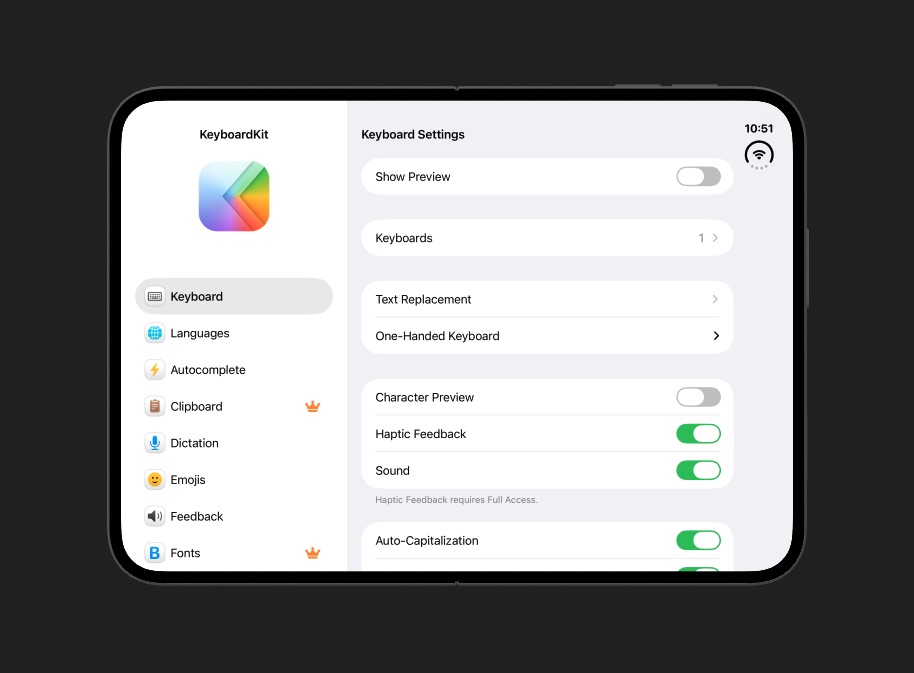
As you can see, the app feels right at home on the Duo, regardless of how it’s folded, instead of just stretching out the iPhone layout over the bigger screen.
You may also notice that we redesign the main menu when it lives inside the sidebar, where all menu items are listed without sections (except app-specific ones at the bottom).
iPad
As part of this change, we also redesign the iPad app to use the same split view configuration as the iPhone Duo.
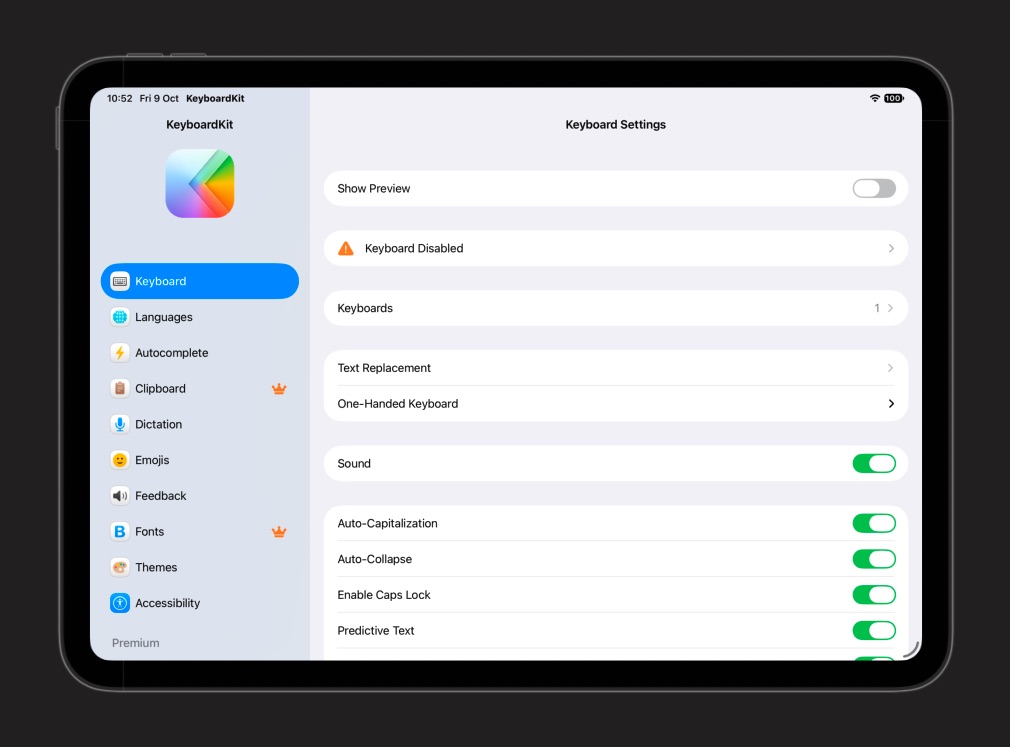
Since the iPhone Duo in open mode share the same navigation model as the iPad, any improvements we make for one device will benefit the other.
Conclusion
The iPhone Duo forces us to rethink how our apps behave on different form factors. The KeyboardKit app will follow the conventions of the native Settings app, to get a consistent experience on all devices.
Some work still remains. For instance, the keyboard preview must be placed outside the split view, since the it doesn’t provide enough space. We must also adjust the keyboard itself to the Duo, as described in this post.
We hope to have both the app and the keyboard ready shortly after the Duo has been released.
Discussions & More
If you found this interesting, please share your thoughts on Bluesky and Mastodon. Make sure to follow to be notified when new content is published.