KeyboardKit App 5.1 - Shortcuts, improved dictation, more actions, and new button customizations
Version 5.1 of the KeyboardKit app is out! This update adds system shortcut support, improved dictation, better theme previews, and new ways to add and manage custom buttons.
This version uses KeyboardKit 11.3, which means that it gets all the latest features and improvements. See that post for more details about everything new.
System Shortcuts
You can now trigger system shortcuts directly from the keyboard! This lets you connect the keyboard to any workflow you have set up, like translating text, creating a note, or anything else you can think of.
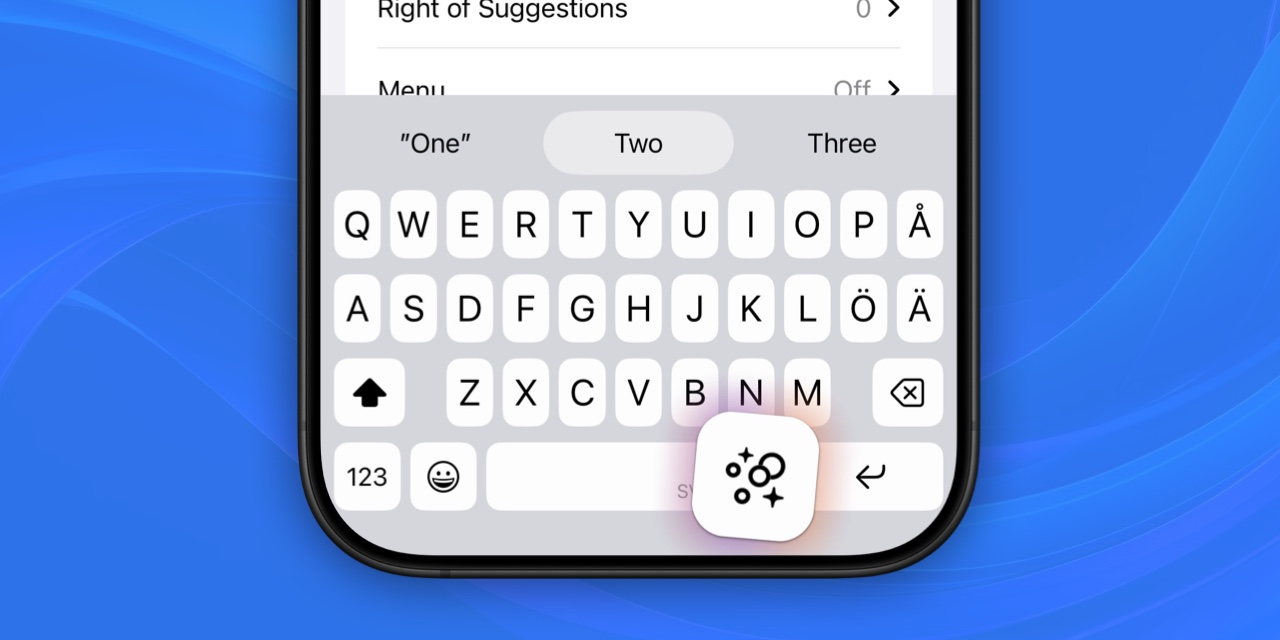
When you add a shortcut button, you just enter the name of the shortcut, then pick an icon from all available SF Symbols. You can also choose to pass in the clipboard content or a certain text to the shortcut.
Improved Dictation
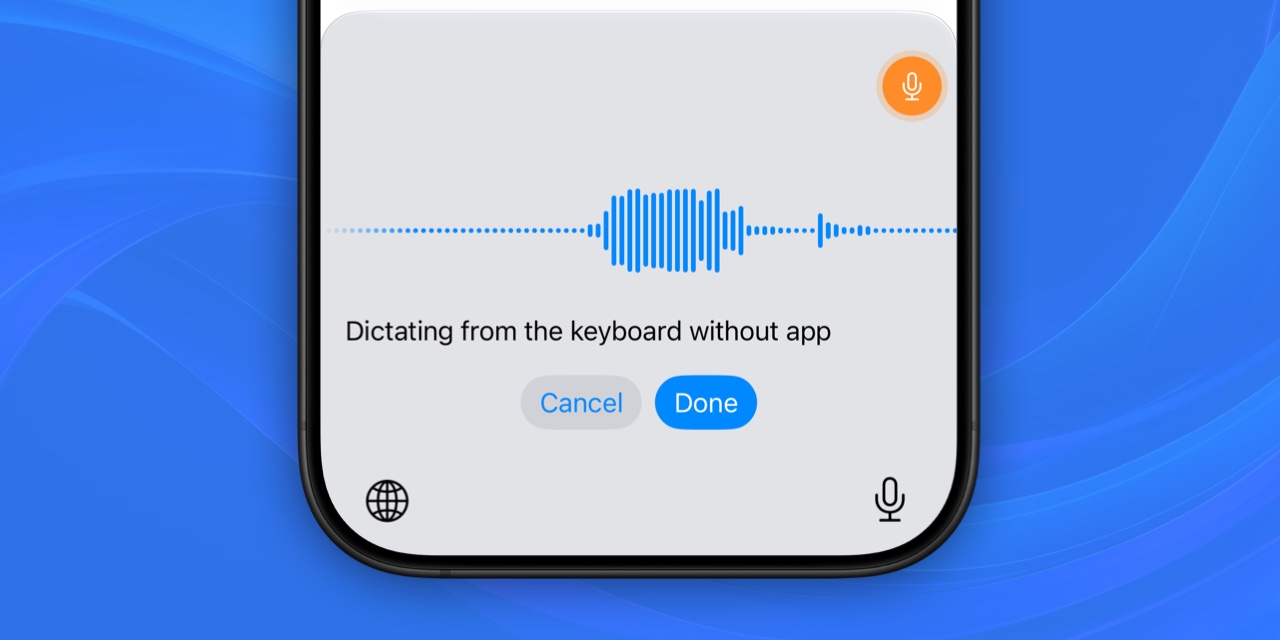
The dictation now starts without a main app round-trip. The overlay is also more responsive, and the volume visualizer has been redesigned to show volume bars from the right, with nice intro animations.
Improved Button Handling
You can now add new rows above and below the autocomplete suggestions, to get even more buttons at your fingertips. This makes it easy to add actions you use often, without having to replace any existing buttons.
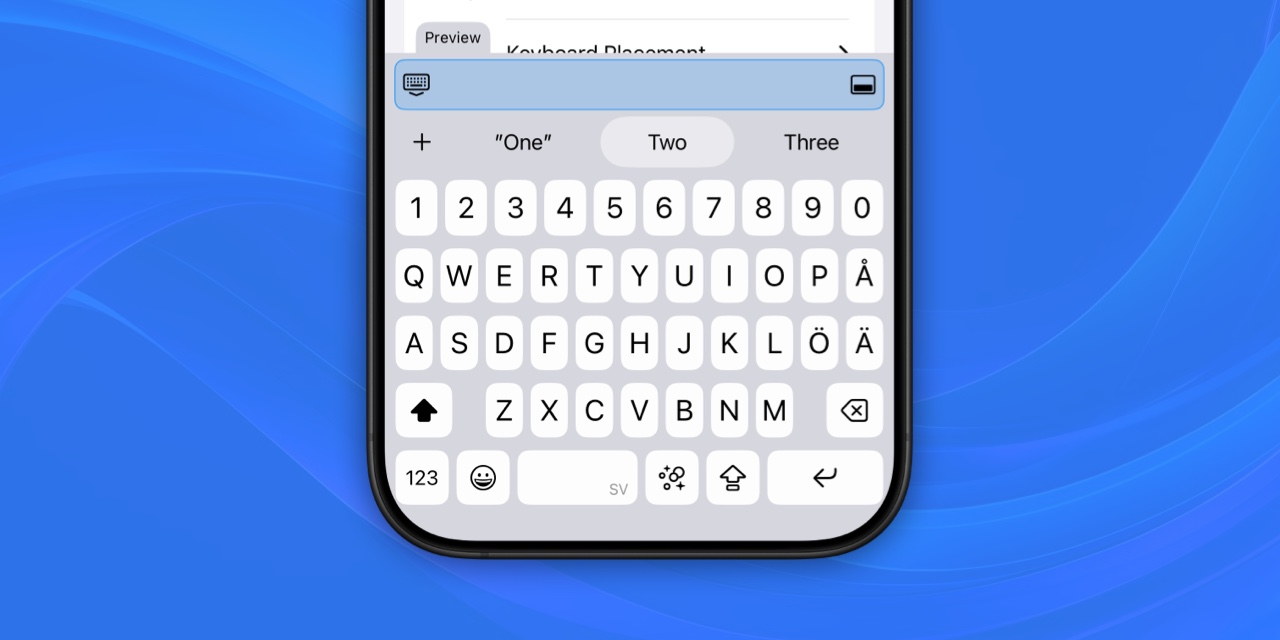
You can also disable custom buttons and rows without removing them. This makes it easy to temporarily hide a button or row, and bring it back later without having to set it up again.
Improved Theme Previews
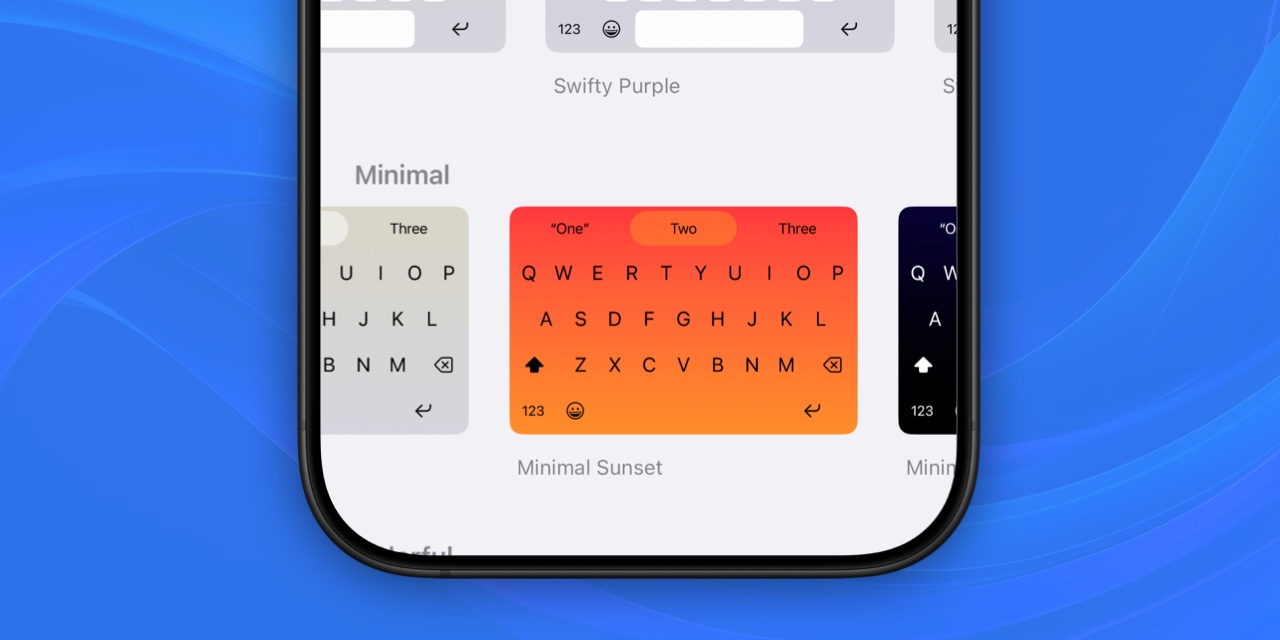
The themes screen now shows full keyboard previews instead of just a button, which makes it a lot easier to see what a theme looks like. The previews also support dark mode, and load as you scroll.
Other Improvements
When tapping a current word suggestion to avoid an autocorrection, the keyboard now remembers that word for the rest of the session, if auto-ignore is enabled, and will no longer autocorrect the word.
Text fields in the keyboard, like the emoji and GIF search fields, now show a warning if you tap them without Full Access, which makes it clearer why they don’t work.
Conclusion
KeyboardKit app 5.1 improves dictation, and adds support for system shortcuts, new action rows, the option to disable custom buttons, and much better theme previews.
You can download the app from the App Store today! If you like it, please consider leaving a review. It helps a lot.
Discussions & More
If you found this interesting, please share your thoughts on Bluesky and Mastodon. Make sure to follow to be notified when new content is published.