KeyboardKit 11.2 is out
KeyboardKit 11.2 is out! This version adds a brand new GIF feature, adjusts the iPhone and iPhone Duo layout and design, makes typing even smoother, and much more.
🎞️ GIF Support
KeyboardKit 11.2 adds a new GIF feature that lets your users search for GIFs and share them directly from the keyboard, with built-in support for GIPHY and KLIPY.
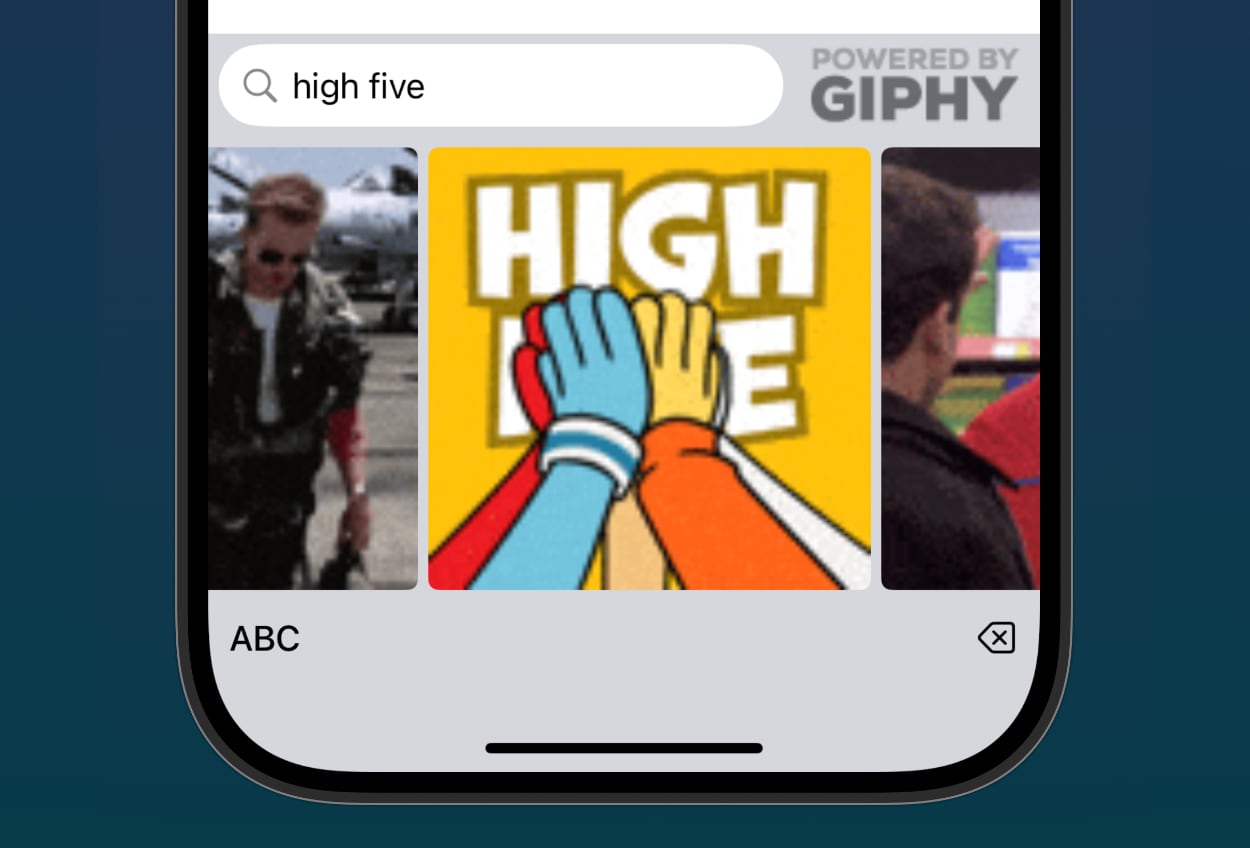
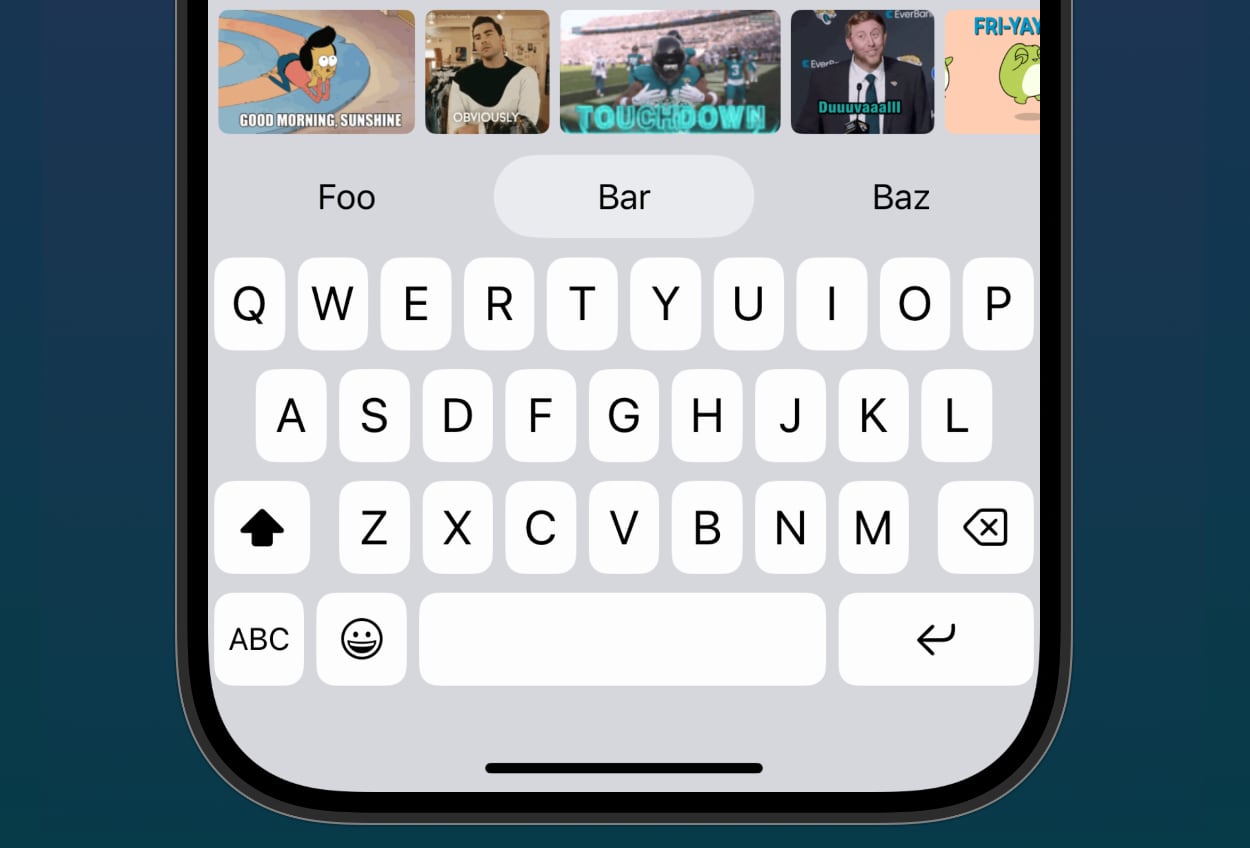
The new GifKeyboard is a full-blown GIF keyboard with a dedicated search field, while a GifToolbar can be placed above the keyboard, and will search for the two last words before the input cursor. Tapping a GIF will copy it to the pasteboard, so the user can paste it into the current app. The toolbar will also remove the search words from the text field, for even smoother pasting.
GIFs are fetched with a GifProvider, which has built-in .giphy and .klipy providers. You just need to create your own API key with the service you want to use, and pass the provider into your KeyboardApp:
extension KeyboardApp {

    static var myApp: KeyboardApp {
        .init(
            ...
            gifProvider: .giphy(apiKey: "your-api-key")
        )
    }
}
You can also create a custom provider to use another GIF service. Once a provider is set, the KeyboardView will show a GIF keyboard or a GIF toolbar, based on a persisted placement setting that users can change in the new GifSettingsScreen.
There is also a new Gif type, and a GifImage view, a .gif keyboard type, as well as many new keyboard actions for copying GIFs and images to the pasteboard.
📱 iPhone & Duo Adjustments
KeyboardKit 11.2 refines the iPhone Duo support that was added in 11.1, with an adjusted layout configuration for an open Duo in landscape, as well as adjusted insets.
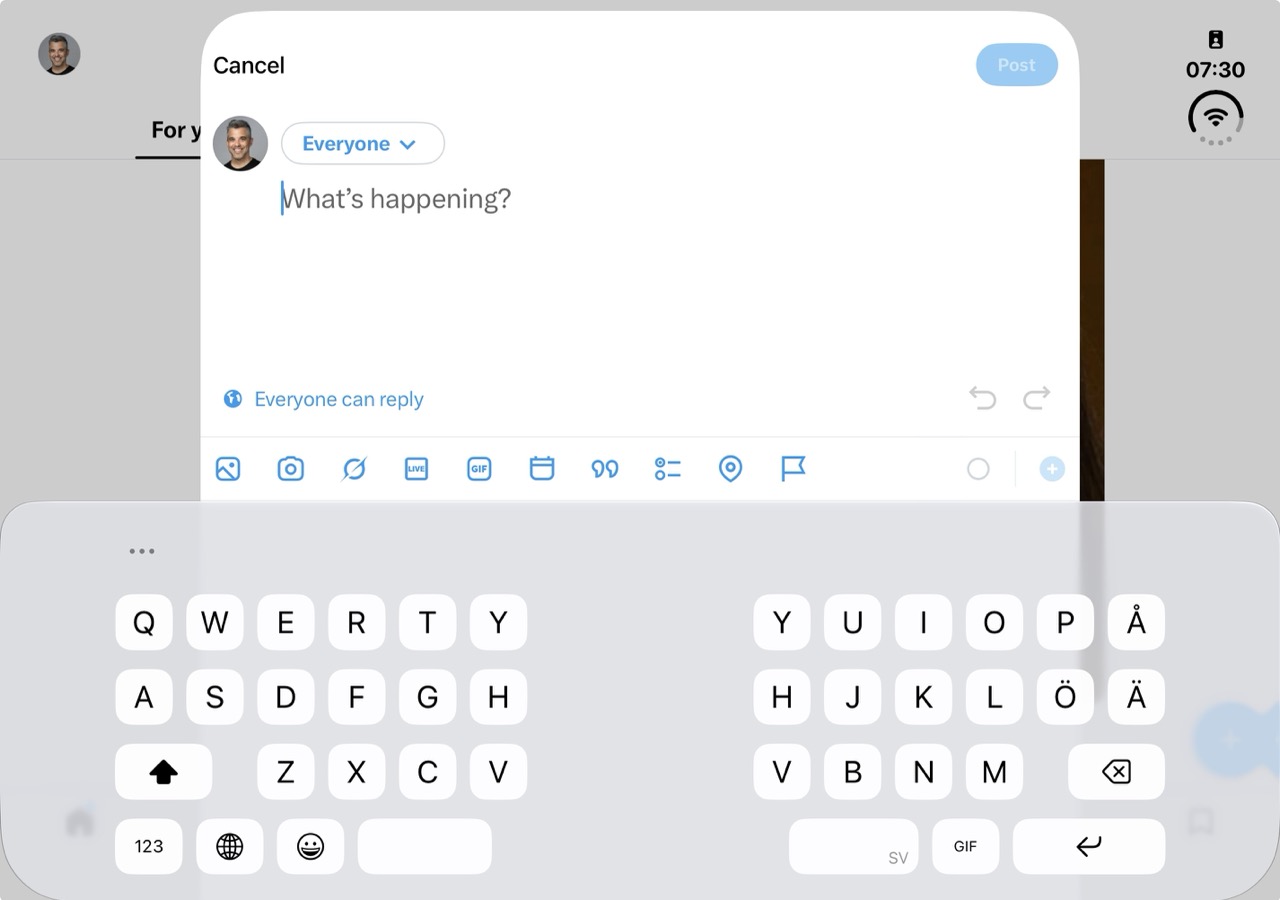
An open Duo in landscape now shows a new Keyboard.PlacementToolbarMenu as a leading toolbar item, which is the ellipsis you can see in the screenshot above. Tapping it opens a placement menu, that lets users switch between the available keyboard placements, e.g. full and split, without having to open the settings screen.
This version also adjusts the iPhone design, with a smaller button height on Liquid Glass phones, a shorter autocomplete toolbar, and a smaller input callout, which makes the keyboard match the native keyboard better.
Split mode now also applies the proper spacebar menus, and is supported on visionOS as well. The dock edges and placements now use left and right instead of leading and trailing, and docked placements have two separate cases.
⌨️ Smoother Typing
KeyboardKit 11.2 makes typing smoother, by fixing lost and frozen touches that could happen when typing fast.
The problem was that some parts of the keyboard changed their view structure while the user was typing. One example is the additional tap area that can be added around keys due to next character prediction. When a key changed, SwiftUI recreated its gesture views, which dropped any active touch.
This version improves the view integrity of each key, by making sure that its structure stays the same, and only changes things like hit testing and size. This means that a key keeps its touch, even if its state changes while it’s being pressed. The result is a typing that feels more responsive. We’d love to hear if you notice the difference!
💡 Autocomplete
The autocomplete service no longer resets its context before autocompleting, which removes a toolbar flicker while typing. The next character predictions have also been fixed, to make the dynamic tap areas more precise.
🔢 Randomized Number Pad
KeyboardKit 11.2 adds a new Keyboard.NumberPadInputMode that can be used to randomize the digits of the number pad. This is useful for keyboards that are used to enter PINs and other secure information.
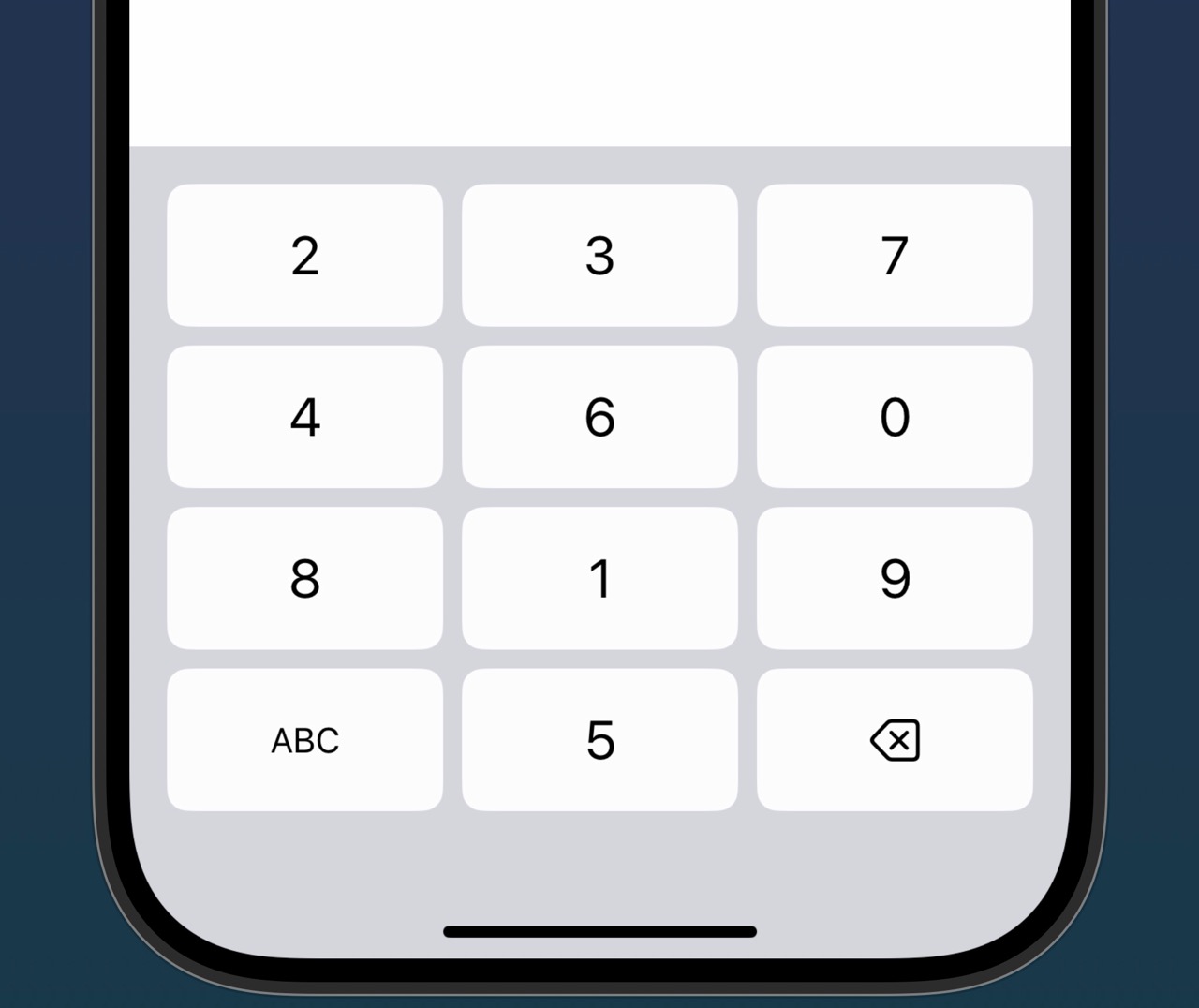
The digits are reshuffled every time the number pad is show. This makes it harder for others to read the input by observing the user’s fingers.
You can enable this with the new isRandomizedNumberPadEnabled setting, which users can toggle with a new “Randomized Number Pad” toggle in the KeyboardSettingsScreen.
💥 Actions
KeyboardKit 11.2 adds new .copyImageToPasteboard and .copyGifToPasteboard actions, which can be used to copy images and GIFs to the pasteboard, as well as a new .toggleKeyboardType action.
🍞 Toasts
KeyboardKit 11.2 adds a new Keyboard.Toast view that can be used to present toast messages within the keyboard. You can present a toast with the new .keyboardToast view modifier.
🐛 Bug Fixes
This version fixes dropped key presses when next character predictions change, removes autocomplete toolbar flickering, fixes next character prediction bugs, and an emoji bug after applying autocomplete. The layout cache also uses the return key type as cache key component.
🗑️ Deprecations
11.2 renames some types, like DuoDetector to DeviceDetector, InputType to TextInputType, and KeyboardLocaleBadge to Keyboard.ToolbarTextBadge. Deprecated types will help you migrate.
📕 Conclusion
KeyboardKit 11.2 is a big release, with a brand new GIF feature, iPhone Duo refinements, smoother typing, and much more. We can’t wait to hear what you think.
Don’t hesitate to reach out with your feedback, and see the release notes for a full list of changes.
Discussions & More
If you found this interesting, please share your thoughts on Bluesky and Mastodon. Make sure to follow to be notified when new content is published.