KeyboardKit 11.1 is out
KeyboardKit 11.1 is out! This version adds support for 6 new languages, new layout and design capabilities for the iPhone Duo, support for split keyboard, and much more.
🌐 New Languages
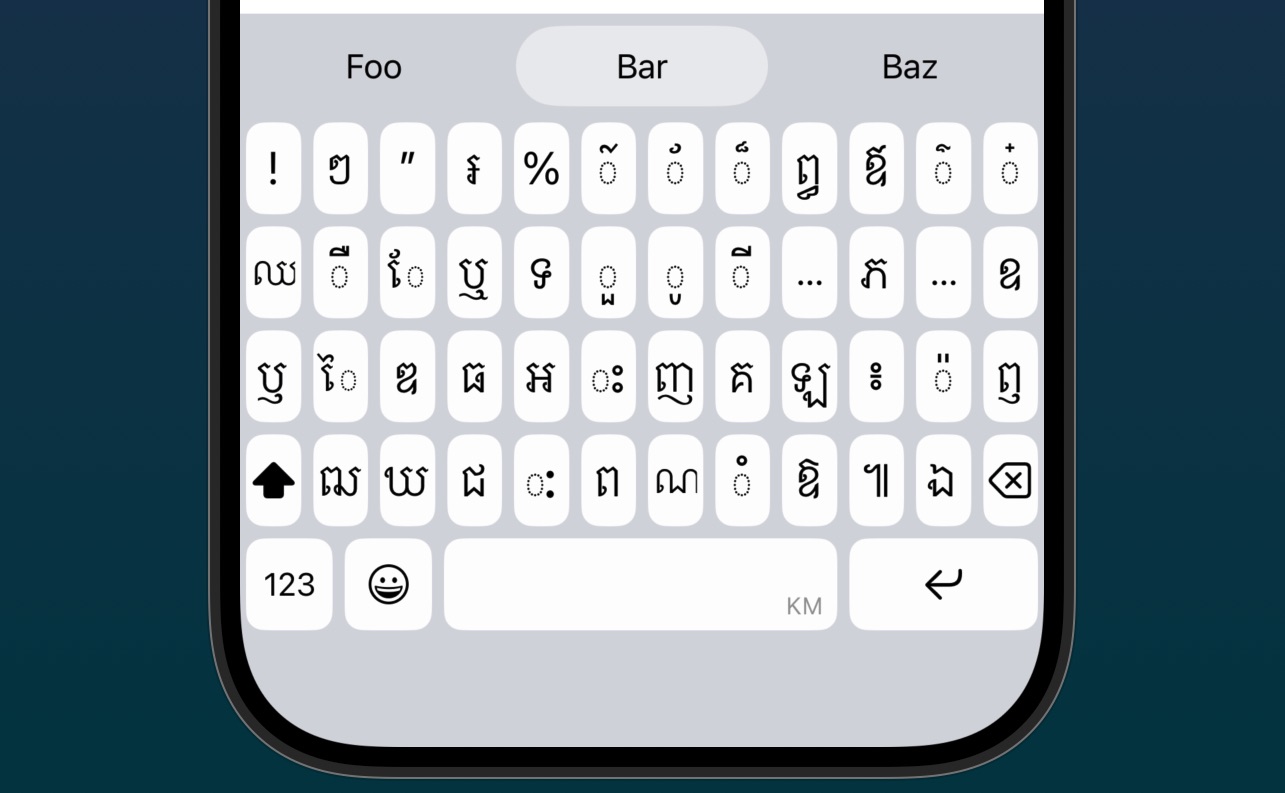
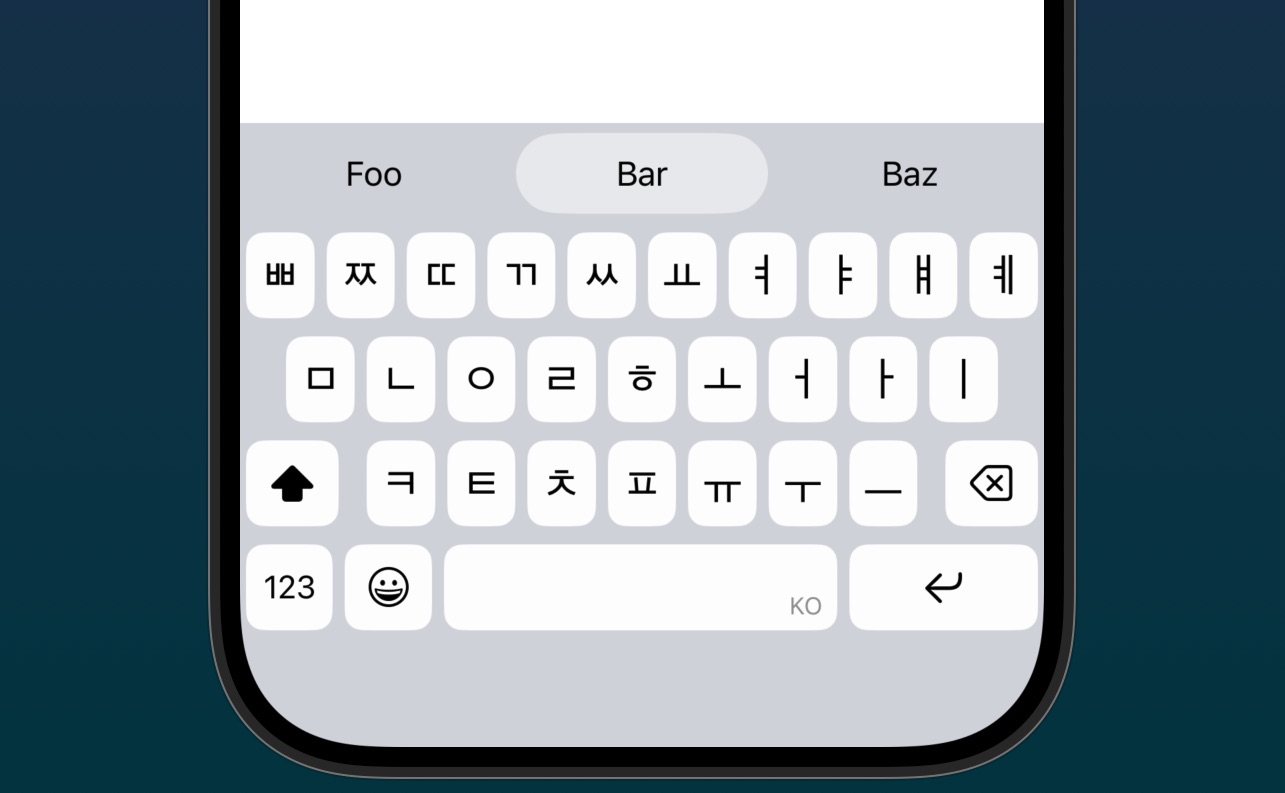
KeyboardKit 11.1 adds support for Khmer, Korean, Luxembourgish, Thai, Xhosa, and Yoruba.
Khmer involved extending the diacritic capabilites, while Korean involved implementing a new Hangul engine.
Thai uses two brand new layouts - .thai4Row and .thai5Row - and involved extending the action callout to be able to present its many signs in two rows.
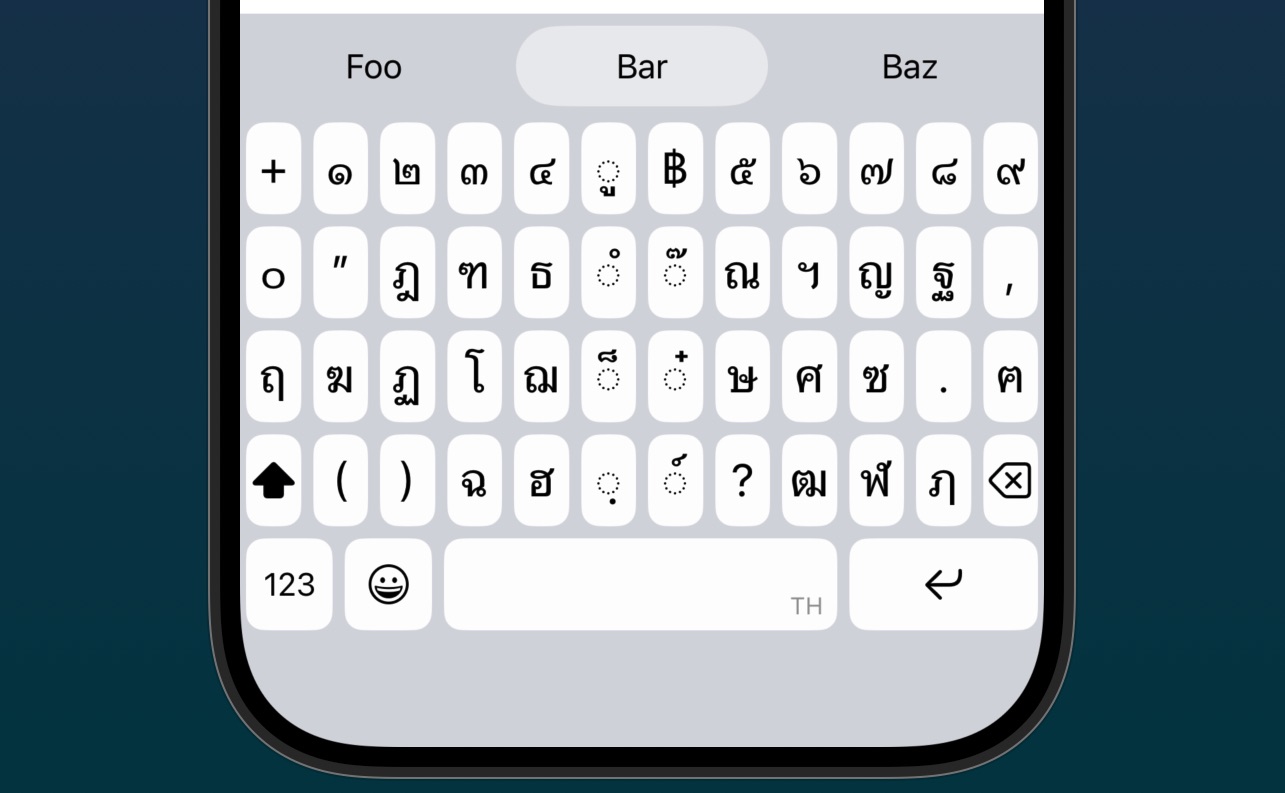
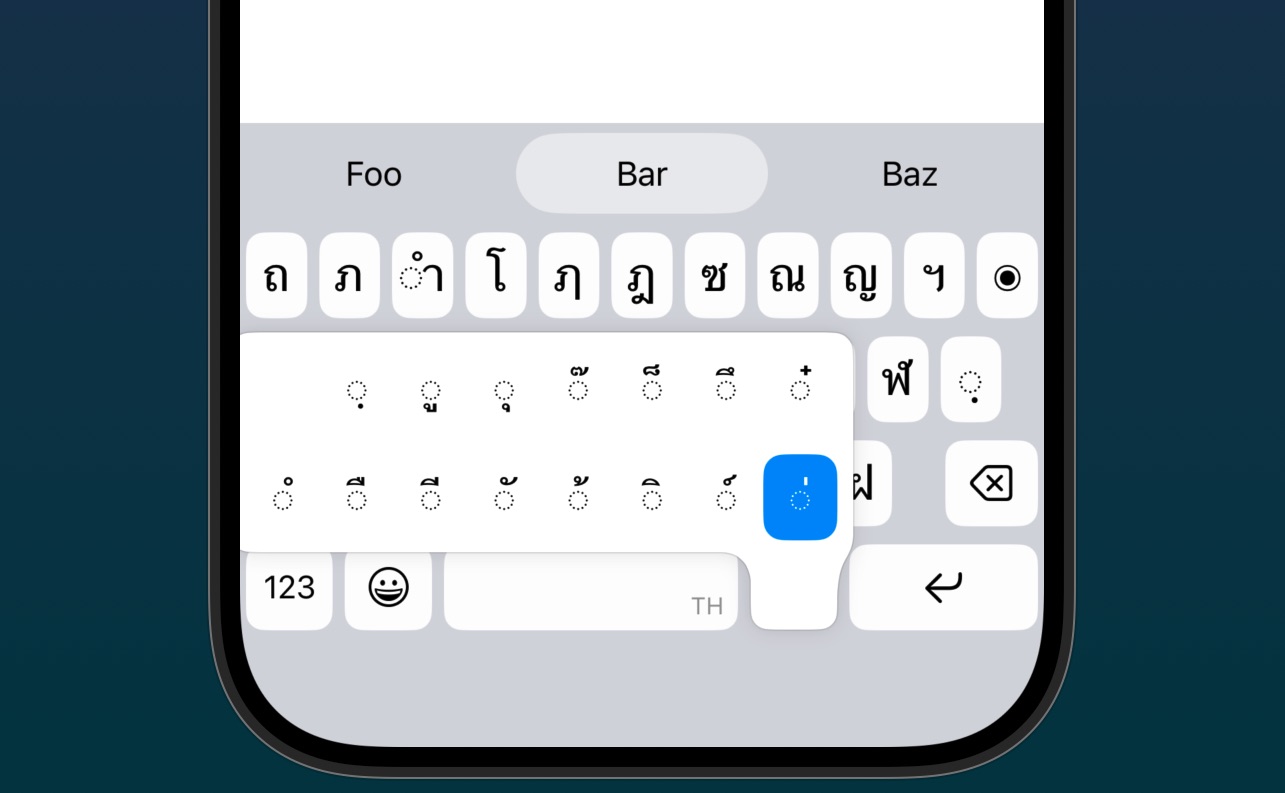
Adding support for these 6 new locales means that KeyboardKit now supports 117 locales!
📱 iPhone Duo Support
KeyboardKit 11.1 can detect iPhone Duo devices, and will adjust the keyboard layout and design to match the native Duo experience, both when the device is closed and open.
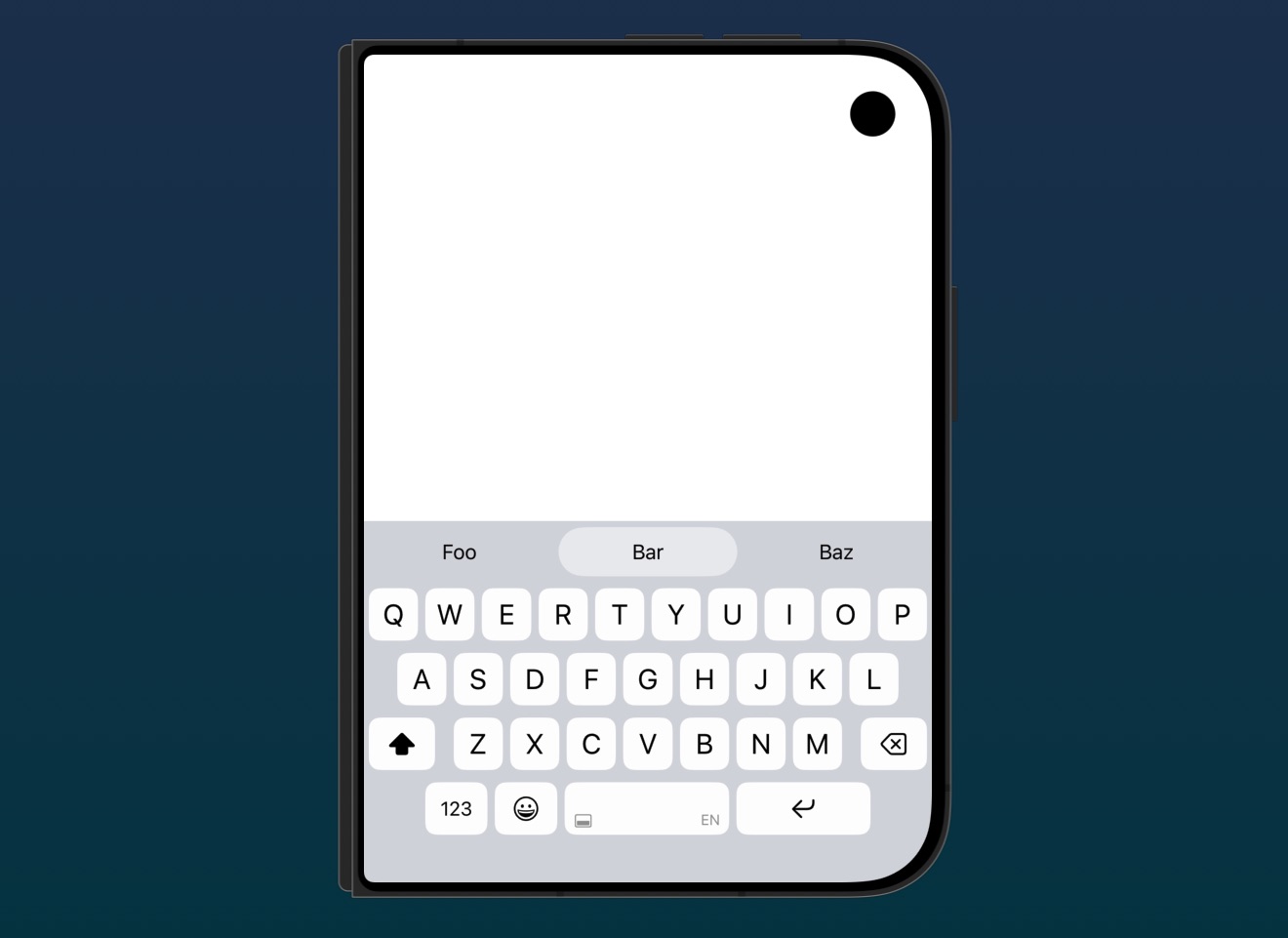
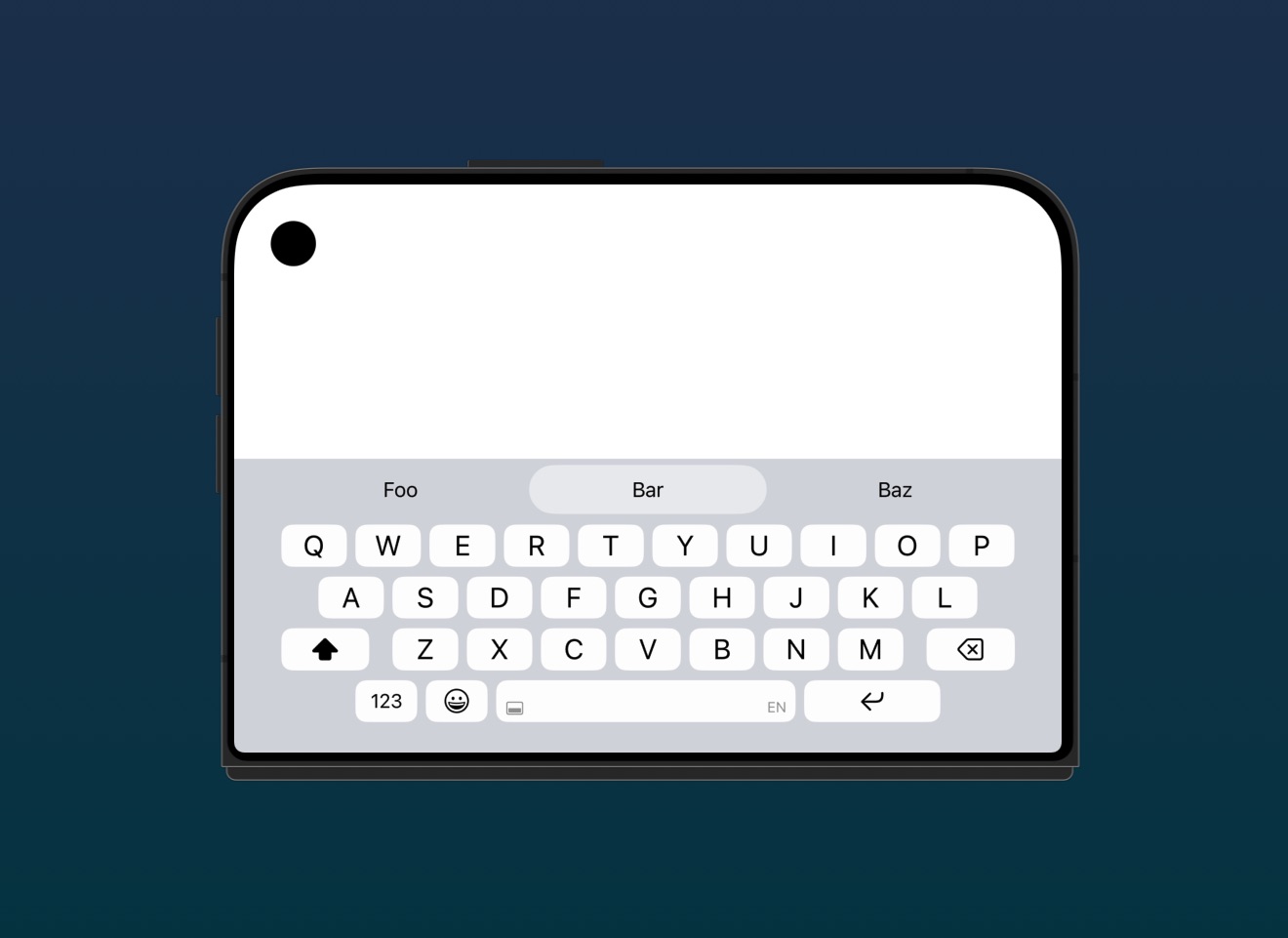
Supporting iPhone Duo also involved implementing support for split keyboard, which is automatically enabled in the native keyboard when the Duo is folded in landscape.
As mentioned in an earlier post, keyboard extensions still can’t read the hinge state, but we have added support for split keyboard to allow users to manually enable split mode when needed. See more in the next section.
The new Keyboard.DuoDetector is used by KeyboardContext to set a isDuoDevice property, which KeyboardKit uses to apply Duo-specific layouts & styles. You can use this to perform your own customizations.
⌨️ Split Keyboard
KeyboardKit 11.1 replaces the previously individual, but mutually exclusive keyboard placements with a single placement, which also adds support for split keyboard to all devices.
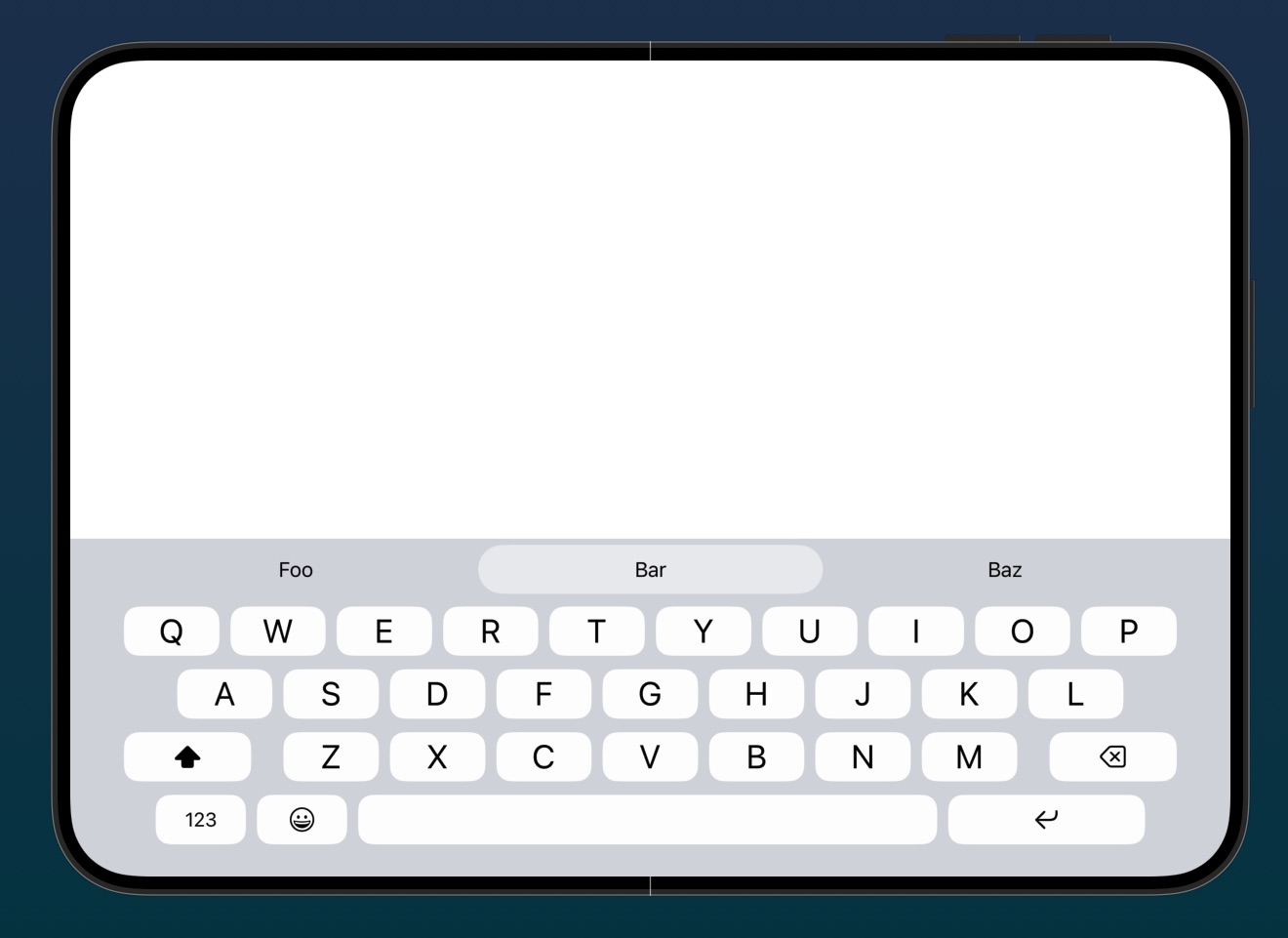
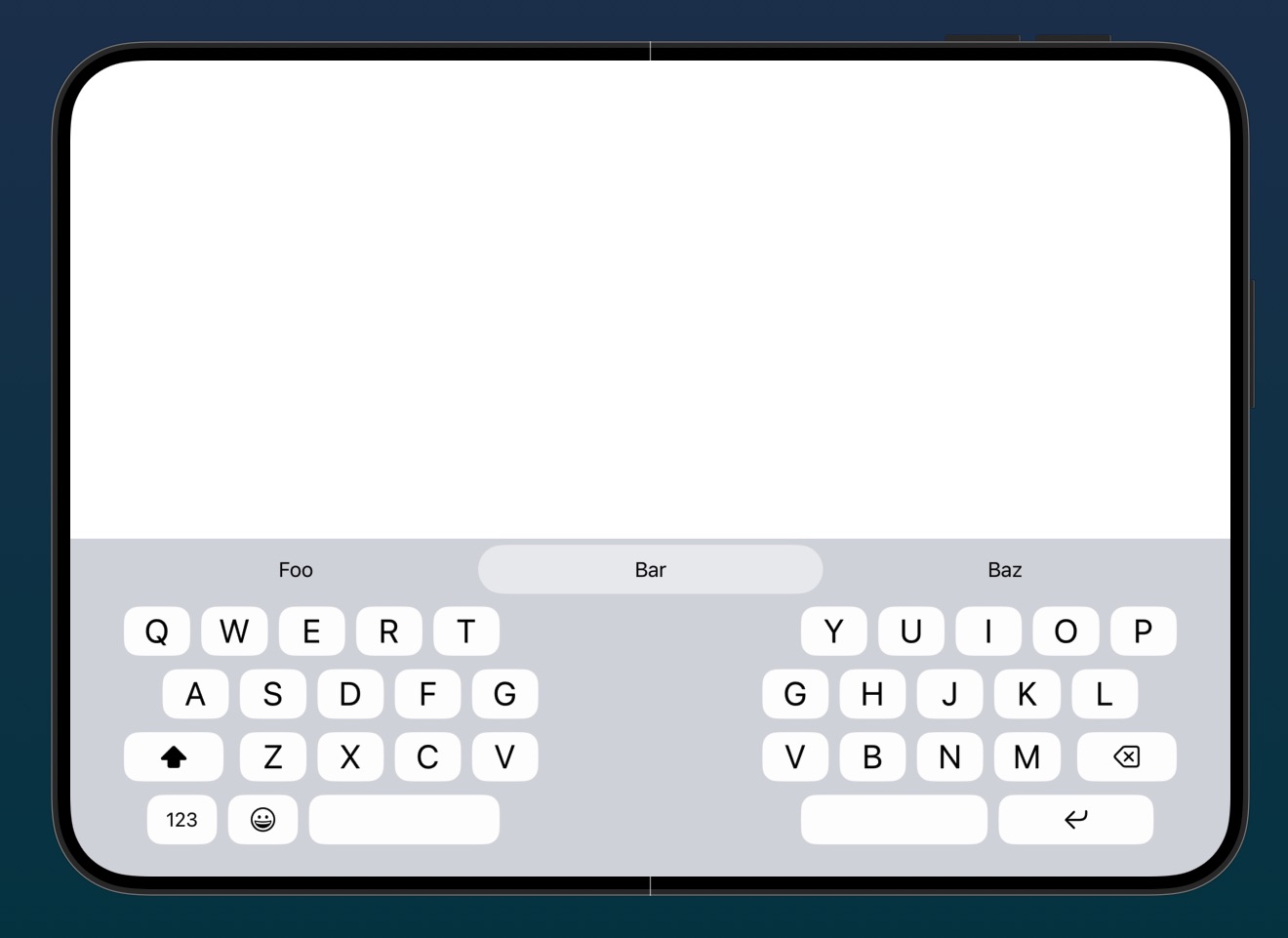
Large screens like iPad and open iPhone Duo supports split screen in all orientations, while small screens only support it in landscape.
The KeyboardContext and KeyboardSettings has new placement properties and functions, and there are new placement menus and pickers. The KeyboardView also adds a placement menu to the dismiss key.
💡 Autocomplete
KeyboardKit 11.1 adds a new, experimental Langlot autocomplete engine to the autocomplete plugin. This engine currently supports English, Italian, and Swedish, and requires a separate license key to be used.
KeyboardInputViewController and KeyboardAppView can now inject an autocomplete engine. The AutocompleteEngine protocol is merged with the download protocol to make it easier to define an engine.
There’s a new AutocompleteEngineDownloadMenu, which will be applied to all supported languages in the KeyboardLanguageSettingsScreen if an engine with download support is injected. There is a new engine collection type that can be used to aggregate multiple engines into one.
Finally, there’s a new isLexiconEnabled setting that can be used to disable system lexicon suggestions. The standard engine also handles lexicon casing better, to avoid strange capitalization bugs.
💬 Callouts
Callout actions can now be configured to use multiple rows, which allows the action callout to grow upwards to give room for more actions.
😀 Emojis
There is a new EmojiSettingsScreen, as well as a new isEmojiSwitcherEnabled setting that can be used to remove the emoji keyboard switcher from the keyboard.
⚙️ Settings
The KeyboardSettingsScreen has a new “keyboard placement” picker that replaces the old “one-handed keyboard” picker, since the new keyboard placement concept replaces the old dock edges.
The KeyboardLocaleSettingsScreen is cleaned up, and now adds new locales in an “add more languages” sheet, which also suggests languages based on the current locale.
🐛 Bug Fixes
This version fixes autocomplete bugs with contact names, text replacement casing, and spaces after the cursor. It also fixes a Vietnamese input problem, and an initial input case flicker.
Conclusion
KeyboardKit 11.1 is a big release, with new languages, new iPhone Duo support, new keyboard placements, and a new autocomplete engine. We can’t wait to hear what you think.
Don’t hesitate to reach out with your feedback, and see the release notes for a full list of changes.
Discussions & More
If you found this interesting, please share your thoughts on Bluesky and Mastodon. Make sure to follow to be notified when new content is published.