
Split keyboard support is coming to the iPhone Duo and all iPads
Support for split keyboard is coming to the iPhone Duo and all iPad devices. The feature ships with KeyboardKit 11.1 and can be enabled by code and user-facing settings.
How it Works
In 11.1, KeyboardContext and KeyboardSettings get a new isSplitKeyboardEnabled property. The context value can be used to enable split keyboard during the current session, while the setting is persisted.
When split keyboard is enabled, the iPhone Duo will enable the feature when the screen is in open landscape.
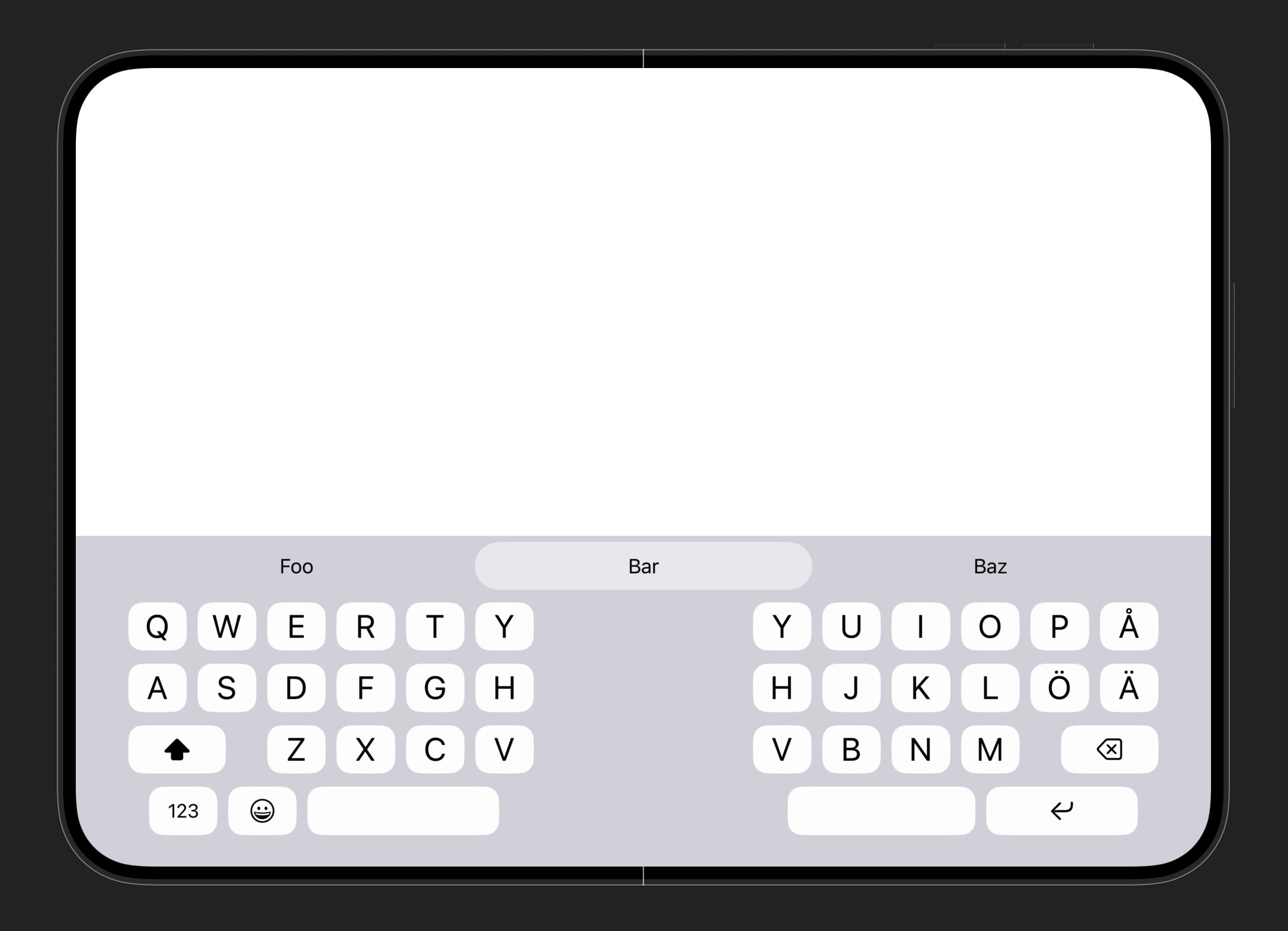
Split keyboard is however not available other iPhone devices, nor when the Duo is closed or open in portrait.
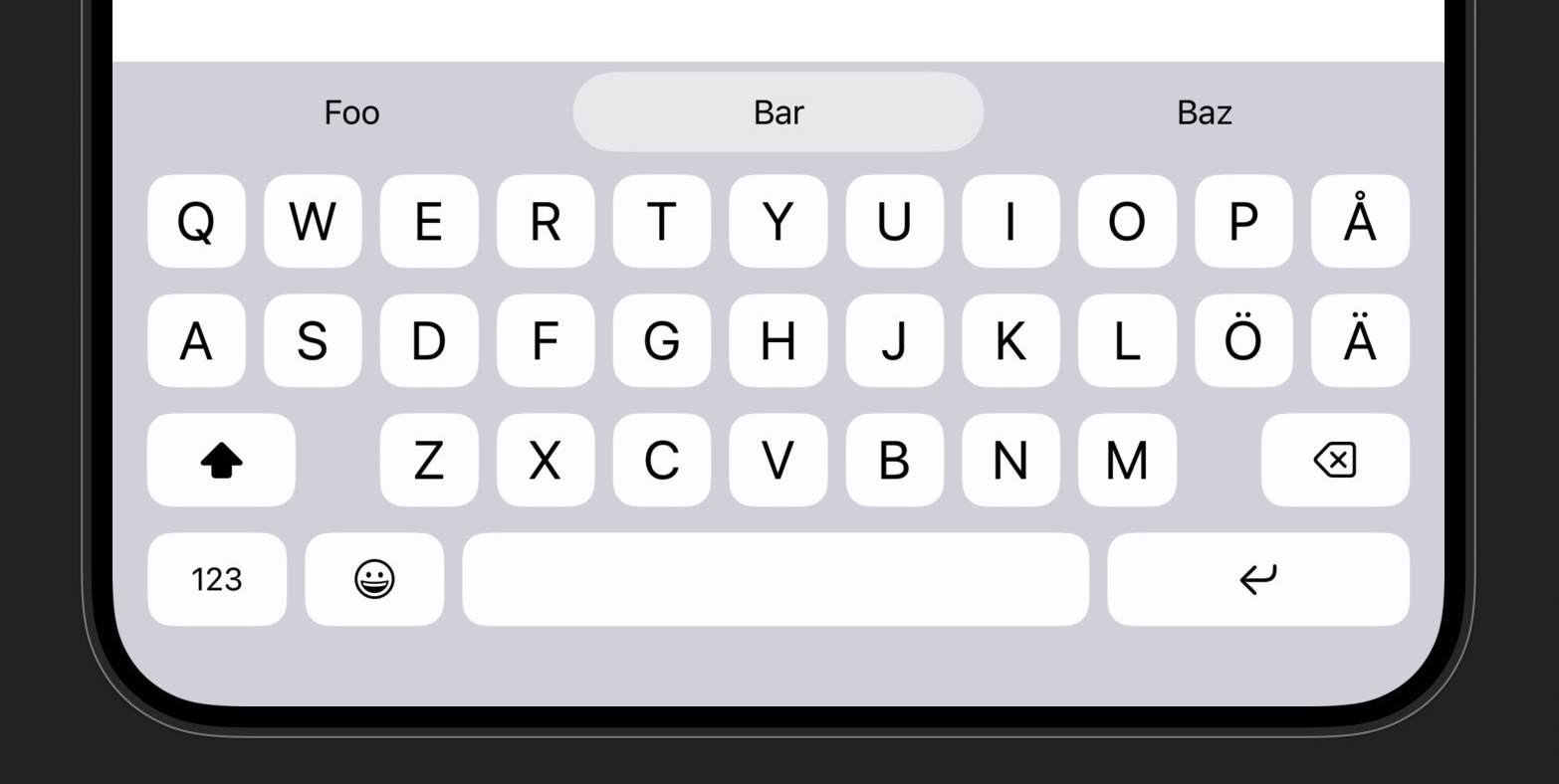
The new split keyboard feature is also available on all iPad devices, in both portrait and landscape orientation.
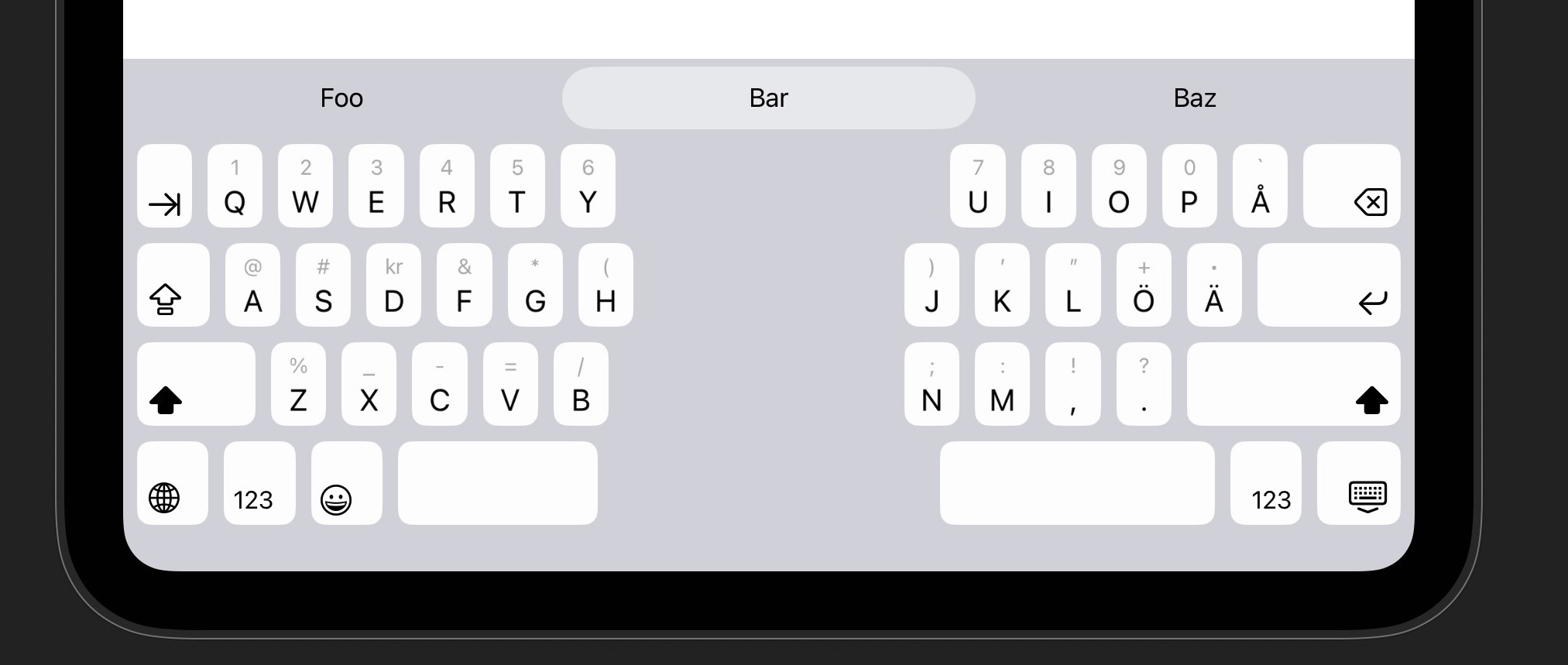
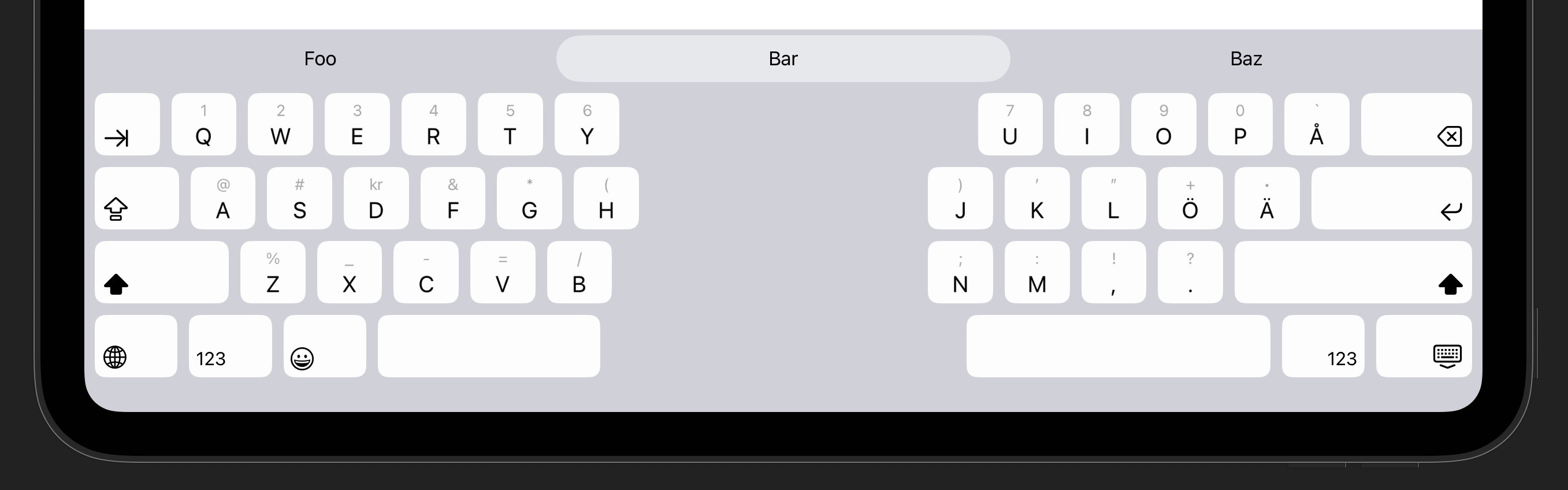
To simplify using the keyboard in split mode while the device is in landscape orientation, the keyboard will switch over to use the portrait design while split keyboard is enabled.
Duo Hinge Detection
We are investigating how to get access to the iPhone Duo’s hinge information, which is currently not available to custom keyboard extensions. This would let us automatically enable split mode when the device is folded.
Until then, we will add a context menu to the space bar, that allows users to toggle split keyboard mode from the space bar. This will also be available from the dismiss keyboard button.
Discussions & More
If you found this interesting, please share your thoughts on Bluesky and Mastodon. Make sure to follow to be notified when new content is published.