Custom Keyboards are Overlapped by Keyboard Toolbar
We have noticed that iOS will overlay any custom keyboard with the host application’s keyboard toolbar, when switching back to an already initialized custom keyboard. This happens in all custom keyboards.
The Problem
When selecting an already initialized custom keyboard after using another keyboard, the host application will render its keyboard toolbar inside the frame of the custom keyboard.
This happens in all custom keyboards, including KeyboardKit-based ones as well as in Grammarly and Gboard:
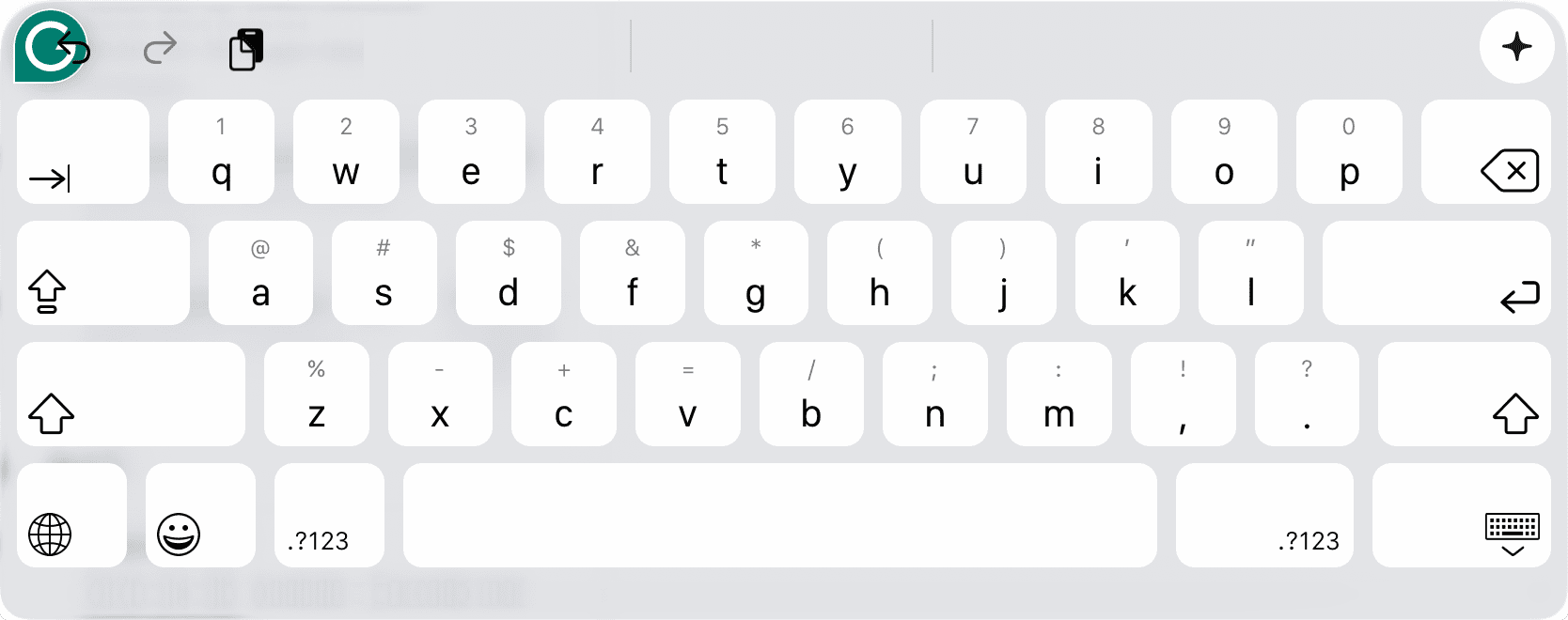
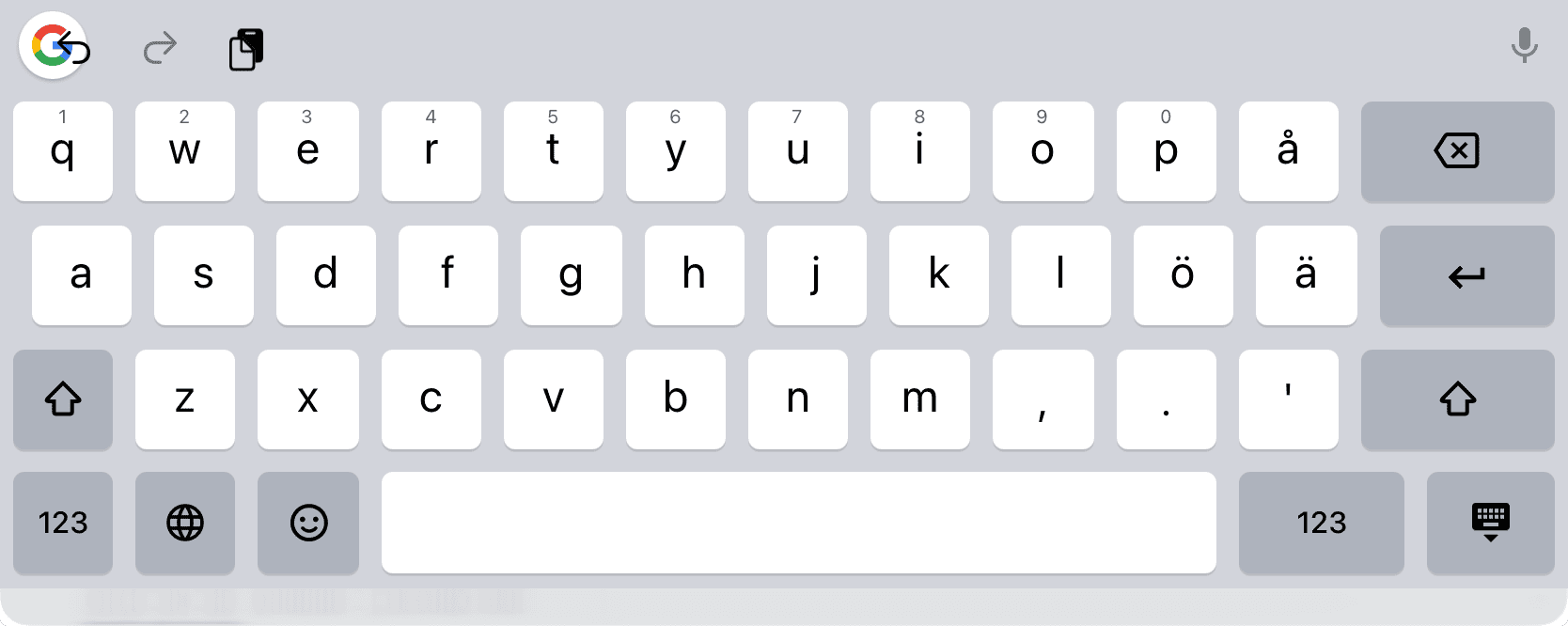
This does not happen when launching a custom keyboard for the first time. It only happens when first initializing a keyboard, then switching to another keyboard, then switching back to the already initialized keyboard.
Steps to Reproduce
You can easily reproduce this bug by following the steps below:
- Use an app that has keyboard toolbar controls, e.g. Apple Notes
- Select a custom keyboard, e.g. Grammarly or Gboard
- Switch to another keyboard
- Switch back to the same keyboard
You should now see the keyboard toolbar controls overlay the custom keyboard, at least in iOS 26.5. If you can’t reproduce it, please let us know, so that we can pinpoint when this started happening.
Workaround Attempts
We tried adding a button to redraw the keyboard when this happens, but it didn’t help. It seems like the toolbar is always merged with the keyboard once the keyboard is presented after initialization.
Next Steps
We hope that iOS 27 will fix this problem, and will track any progress in this issue. If you report this to Apple
using the Feedback Assistant, you can mention our report FB23560337 for additional details.
Discussions & More
If you found this interesting, please share your thoughts on Bluesky and Mastodon. Make sure to follow to be notified when new content is published.