
Indic Transliteration Keyboard
Akshar
Say hi to Akshar - an Indic transliteration keyboard for iPhone and iPad that supports 21 Indian languages, built by solo developer Krishna Permi.

What is Akshar?
Akshar is an Indic transliteration keyboard for iPhone and iPad. It supports 21 Indian languages across 12 scripts built directly into the keyboard, the highest of any app on the App Store.
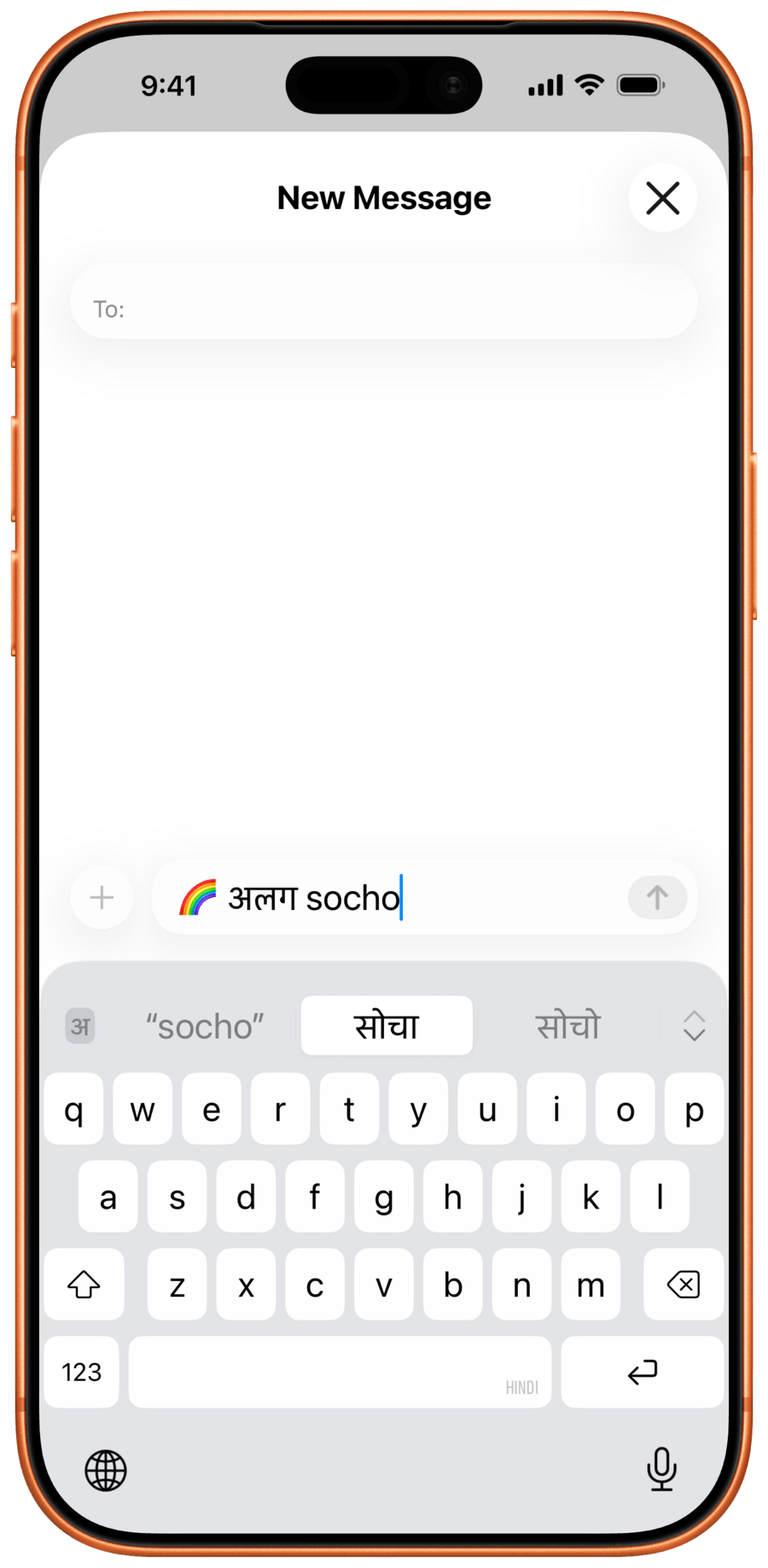
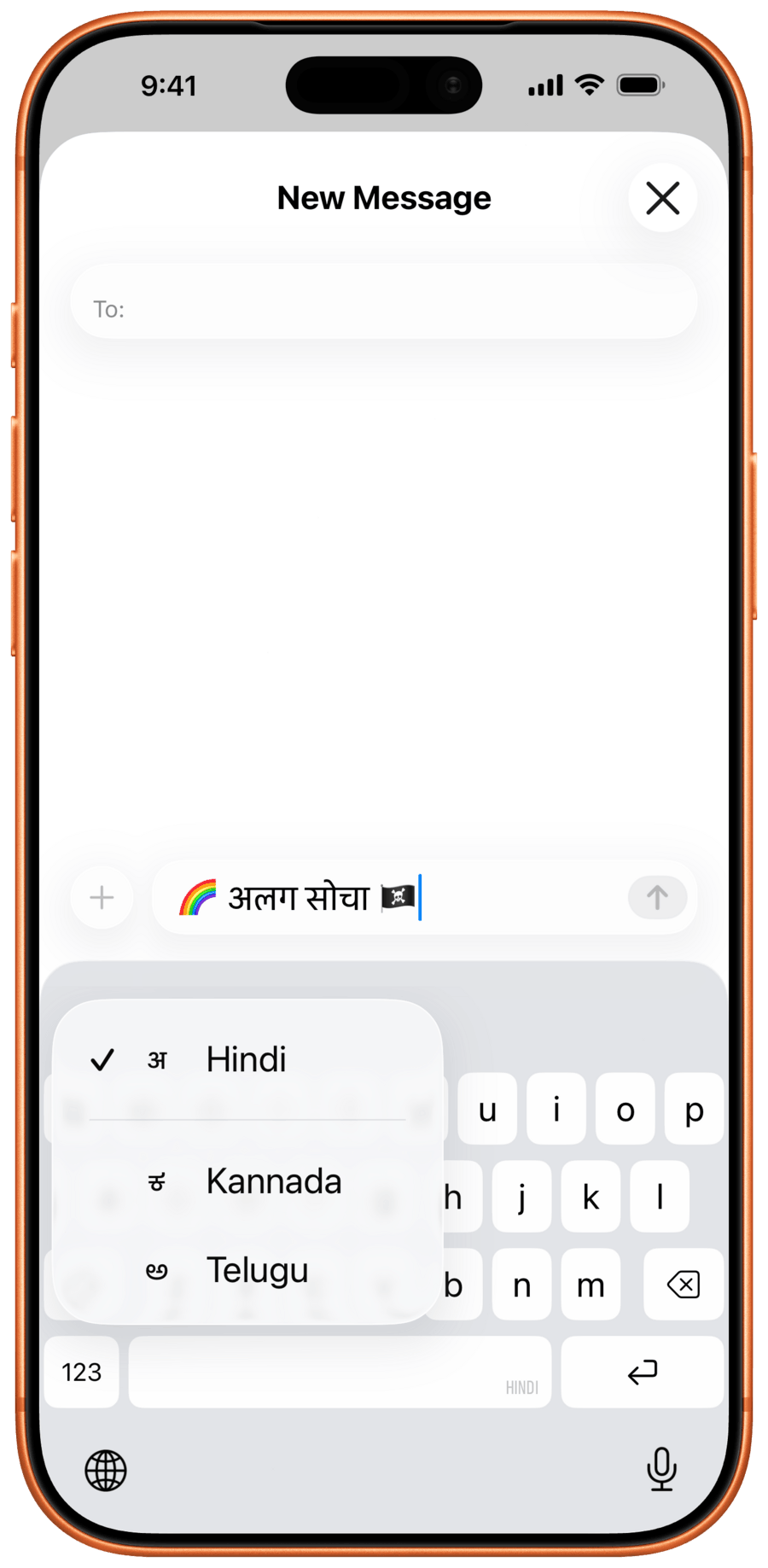
Apple currently supports 11 Indic languages for transliteration, and most third-party options require configuring one language at a time. With Akshar, all the languages you have enabled are accessible right from the keyboard, with a script selector row above the keys for instant switching.
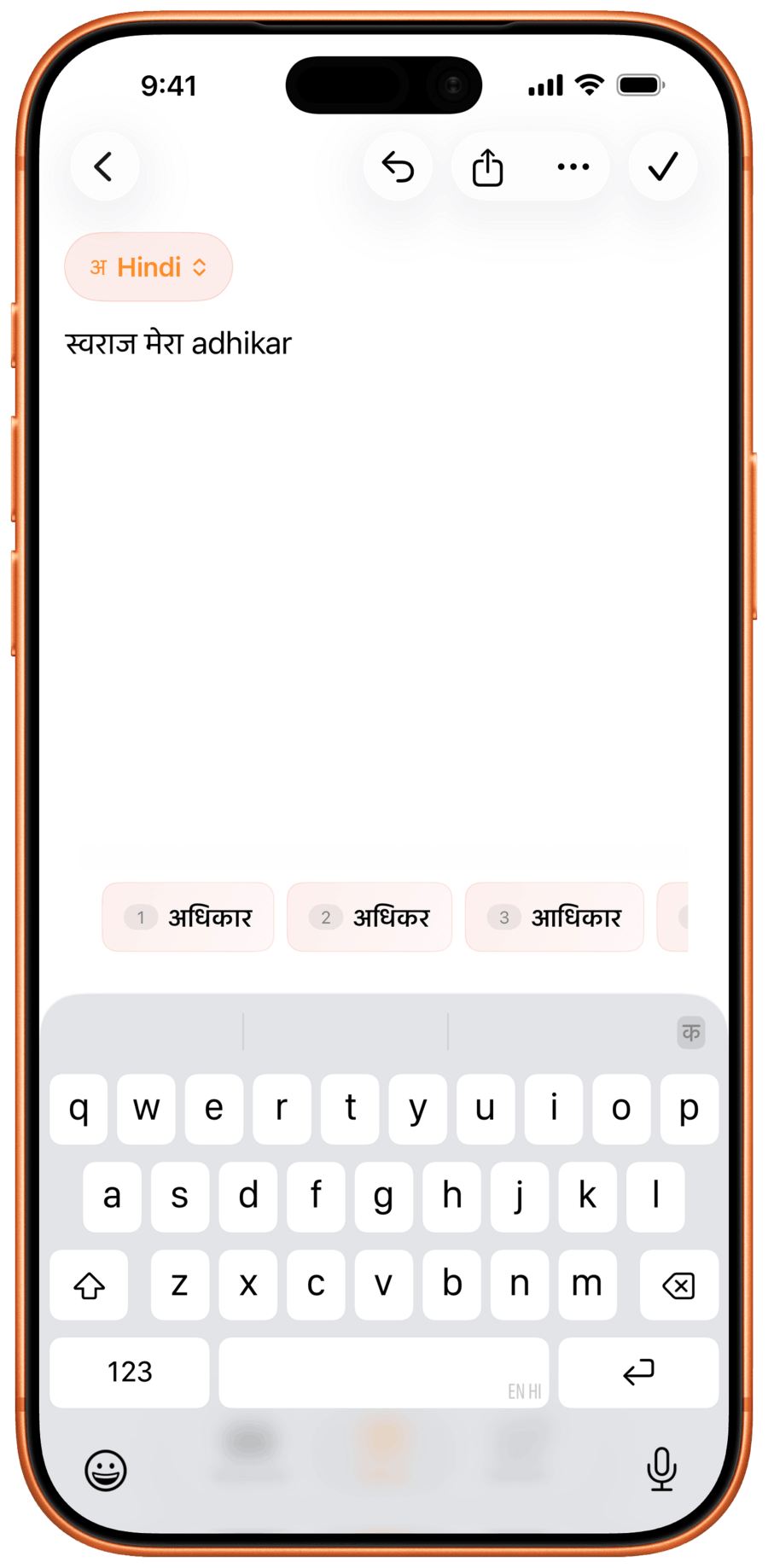
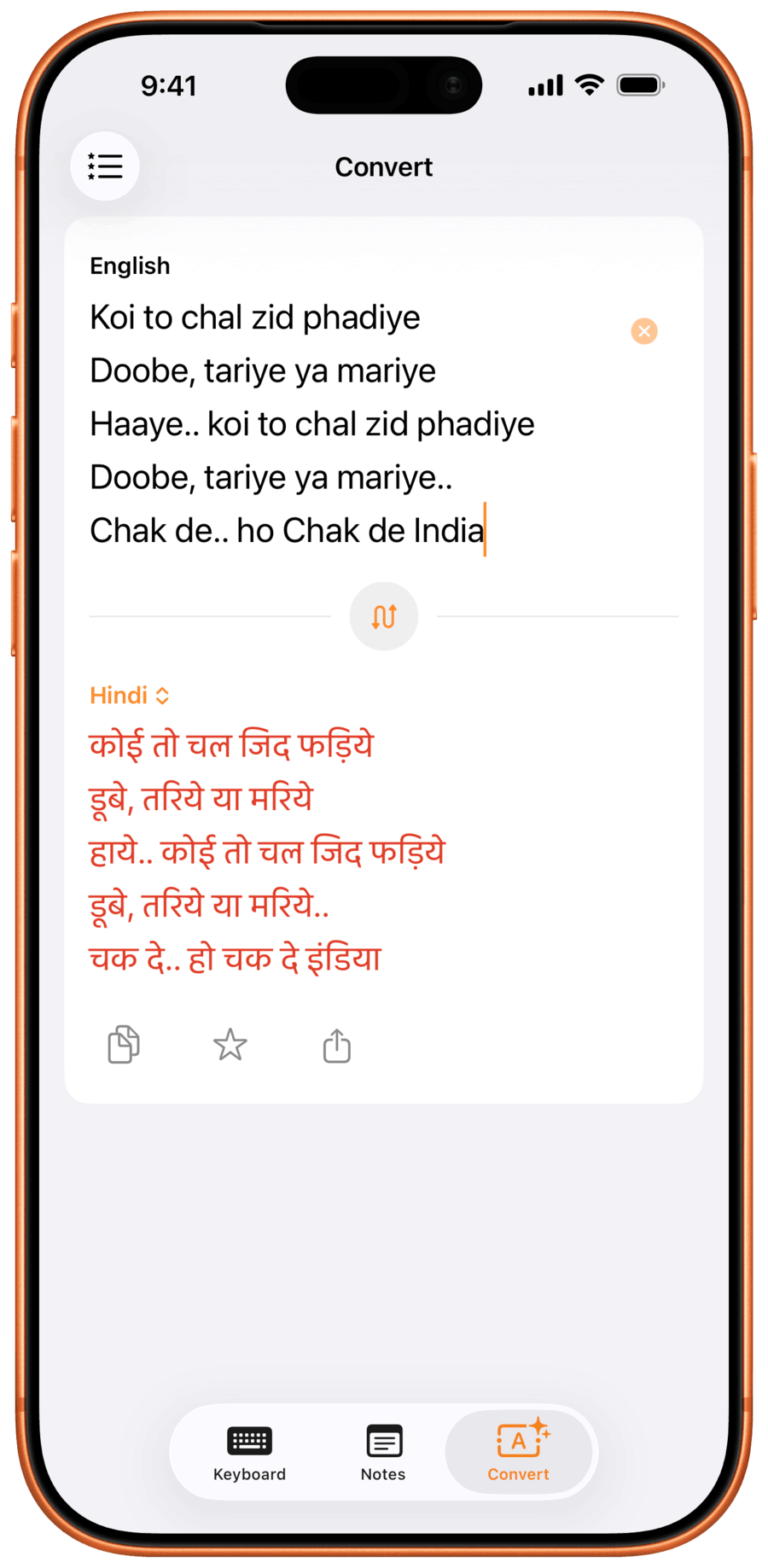
Beyond the keyboard, the app has a Notes tab for longer writing with live transliteration, a Convert tab that goes both ways (English to Indic and Indic to readable Roman), a Share-as-Artwork feature that turns any line into a poster-style image with native typography, widgets for the Lock Screen and Home Screen, three Control Centre tiles, and Siri and Shortcuts integration through App Intents.
Akshar is fully native, has no ads, and is designed to align with Apple’s Human Interface Guidelines, unlike many existing options that often ship with intrusive ads, inconsistent styling, and limited privacy considerations.
The Story Behind the App
Akshar was developed as a way to help Krishna practice the Kannada language together with his son.
My son is learning Kannada, a language from the southern Indian state of Karnataka, at school, and I’ve been helping him practise. When I needed to type something in Kannada on my iPhone or iPad for him to read and work through, I realised I couldn’t do it easily. I’m used to writing by hand the old school way, as I did in school, and there were no dedicated mobile apps that made transliteration feel natural. So I built one.
Once Krishna had the main app working, he realized that a custom keyboard would help him write longer texts in apps like Notes, and let him message friends and family in hiw native language, from any app.
Looking at what was already available, Gboard tends to bury Indic transliteration deep in its settings. Switching between languages feels clunky, and the app hasn’t been meaningfully updated in four years. Krishna wanted to build something that felt like it belonged in iOS.
Implementing the Keyboard
Akshar excels with its first class local transliteration, which runs entirely on-device. It currently uses AI4Bharat’s IndicXlit, an open-source neural model from IIT Madras that is packaged as a Core ML model and runs on the Neural Engine. Latency stays under 30 milliseconds per suggestion, and nothing leaves the phone. There is no Akshar server, no analytics, no accounts.
The keyboard itself is built with KeyboardKit, which provides the foundation I need to create a custom keyboard extension that still feels native to iOS. I have built custom features like keyboard settings, the script selector row, the language switching, and the Indic transliteration suggestions around KeyboardKit’s package dependency for basic keyboard functionality and UI.
Outside the keyboard extension, the app uses WidgetKit for Lock Screen and Home Screen widgets, App Intents for Siri and Shortcuts, and Core Graphics for the Share-as-Artwork rendering. Settings, notes, and conversion history sync between iPhones and iPads through the user’s own iCloud account, encrypted in transit and at rest.
How did KeyboardKit help?
Building a custom keyboard extension from scratch on iOS is a significant undertaking, especially for a native-looking one. There’s a lot of complexity around input handling, keyboard layout, language switching, and making everything feel responsive and familiar to users.
KeyboardKit provided a solid, well-structured foundation to build on, to let Krishna focus on what makes Akshar unique: the multi-language transliteration experience, the per-script typography, and the script selector.
KeyboardKit was essential to the project. The polish and finish of Akshar wouldn’t have been possible without it. The library’s architecture made it straightforward to customise the layout and behaviour to fit my needs while keeping the keyboard feeling native and consistent with what iOS users expect. / Krishna Permi
A few specific places it earned its keep. The suggestion bar above the keys needed to render Indic glyphs at the right metrics, and KeyboardKit’s autocomplete toolbar let me customise the cell rendering for Indic typography without rewriting the toolbar. Language switching, where Akshar rotates through up to 11 enabled scripts via the globe key, was straightforward thanks to KeyboardKit’s locale-context handling.
App-group sharing was the other big win - keeping the IndicXlit Core ML model loaded in the keyboard process while letting the app’s Notes and Convert tabs use the same model required plumbing that just worked. Settings sync between the main app and the keyboard extension, which is non-trivial in a sandboxed iOS keyboard, has been predictable thanks to the patterns KeyboardKit provides.
The layout-engine let me ship v1 in months instead of years, and the v3 release - 21 languages, widgets, App Intents, Convert, Share as Artwork - would not have been feasible solo in any reasonable timeframe without it. Daniel has been responsive when I’ve hit edge cases, which makes it the kind of dependency I am comfortable building a flagship product on.
Download
You can download Akshar from the App Store to give it a try, and improve your Armenian typing experience.