Akshar
Indic Transliteration Keyboard
Say hi to Akshar - an Indic transliteration keyboard for iPhone and iPad, built by solo developer Krishna Permi.

What is Akshar?
Akshar is an Indic transliteration keyboard app for iPhone and iPad. It supports 21 Indian languages across 12 scripts built directly into the keyboard, the highest of any app on the App Store.
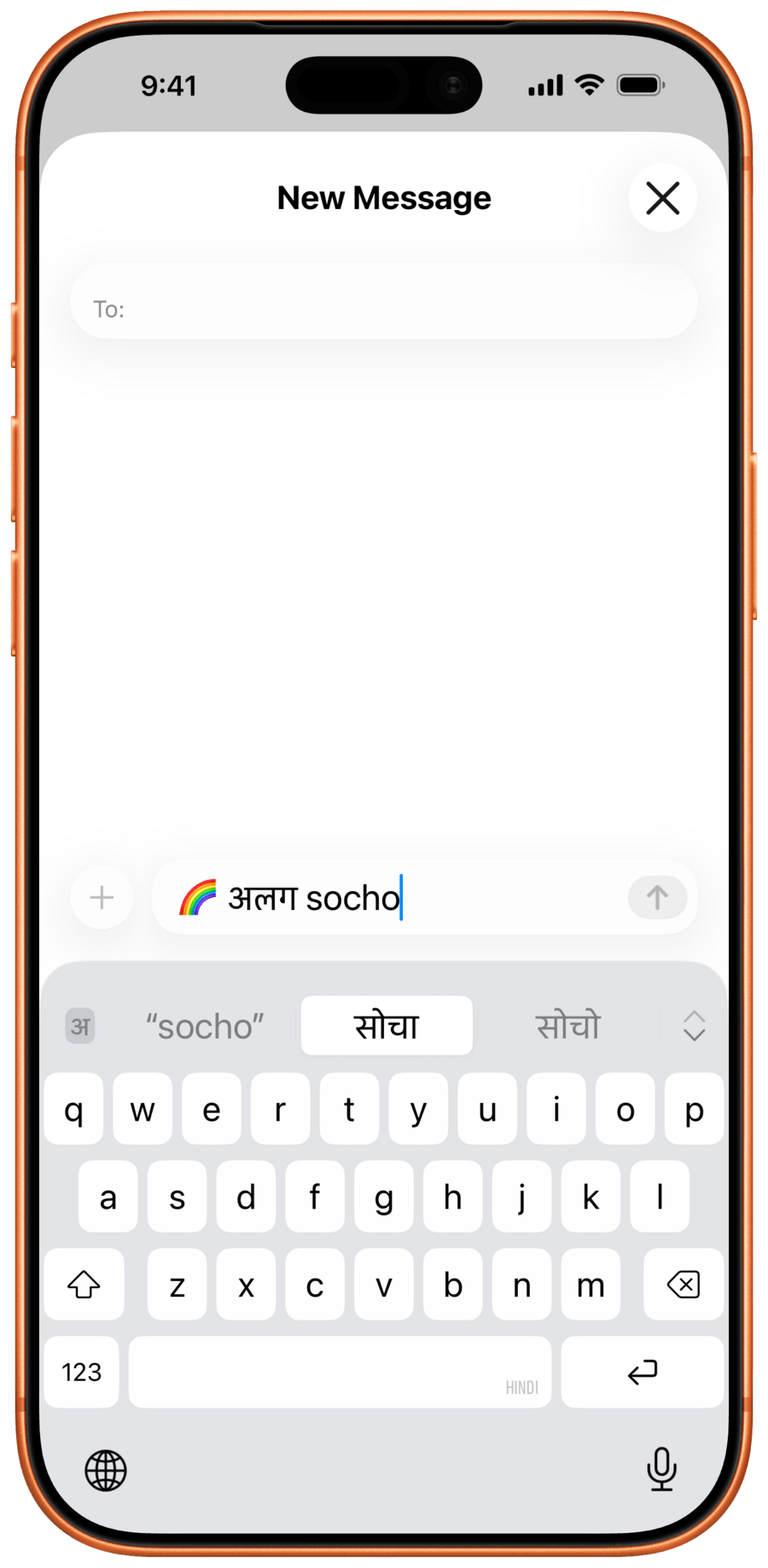
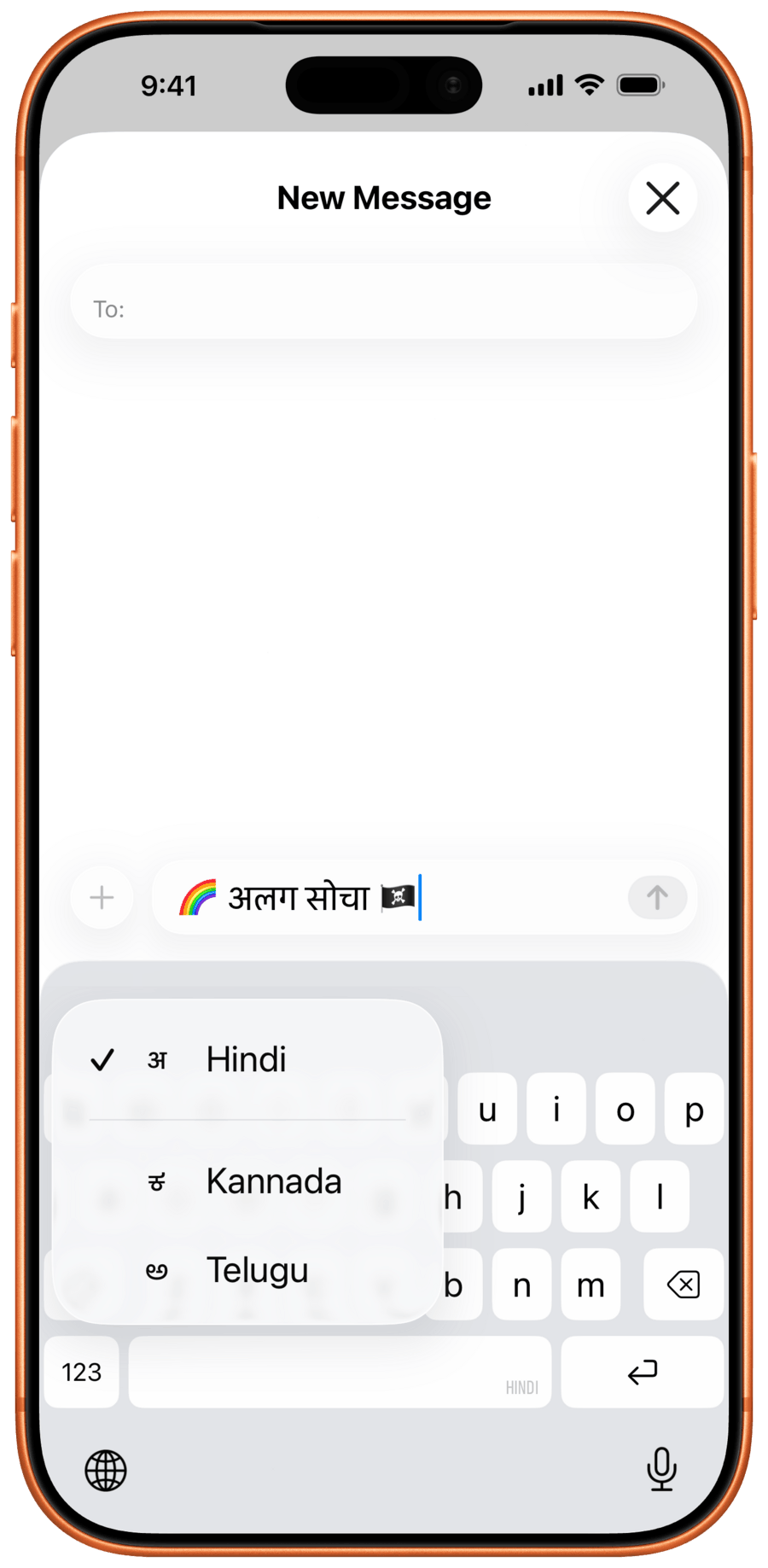
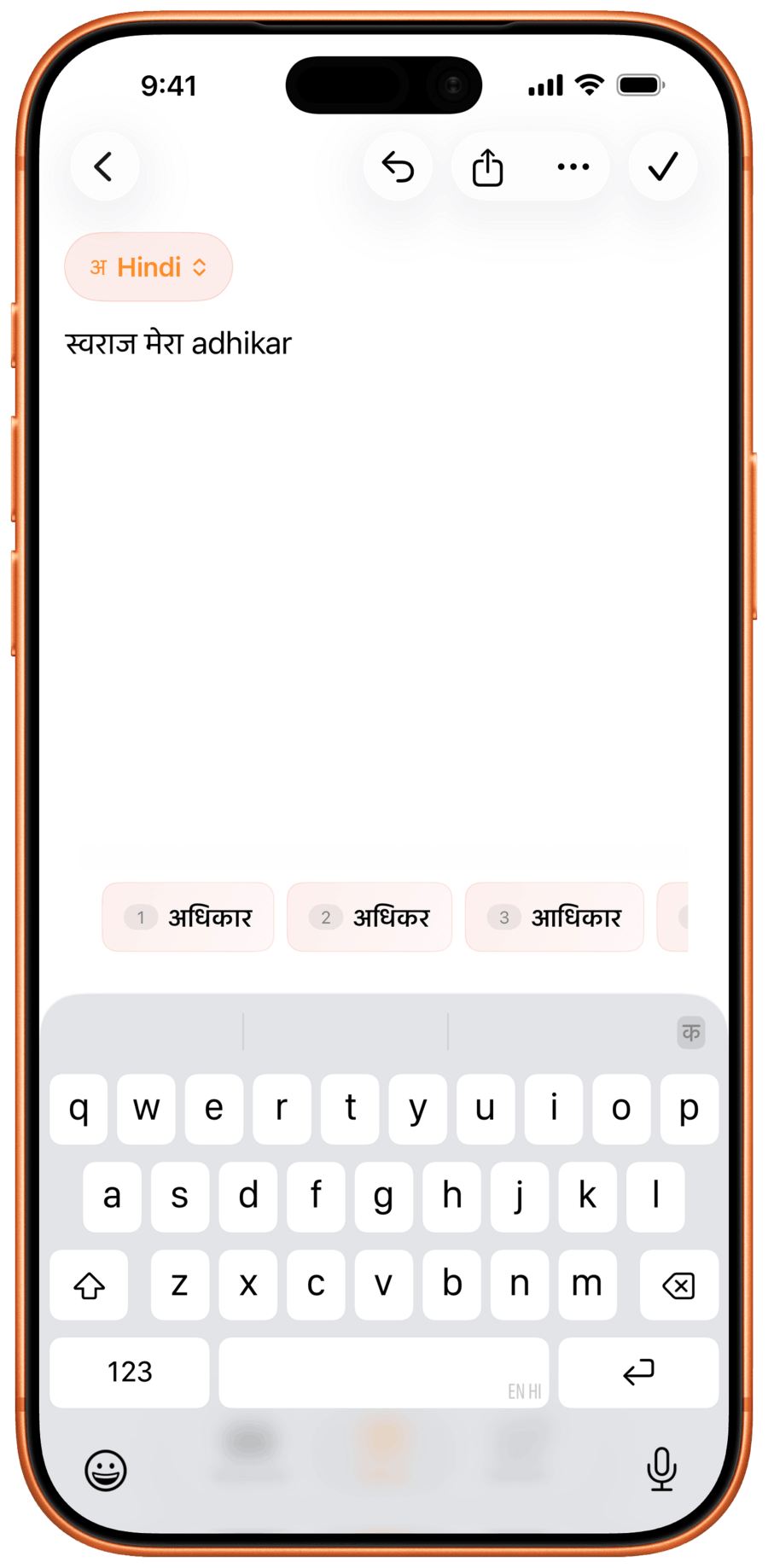
Apple supports 11 Indic languages for transliteration, and most third-party keyboards require you to configure one language at a time. With Akshar, all the languages you have enabled are accessible right from the keyboard, with a script selector row above the keys for instant switching.
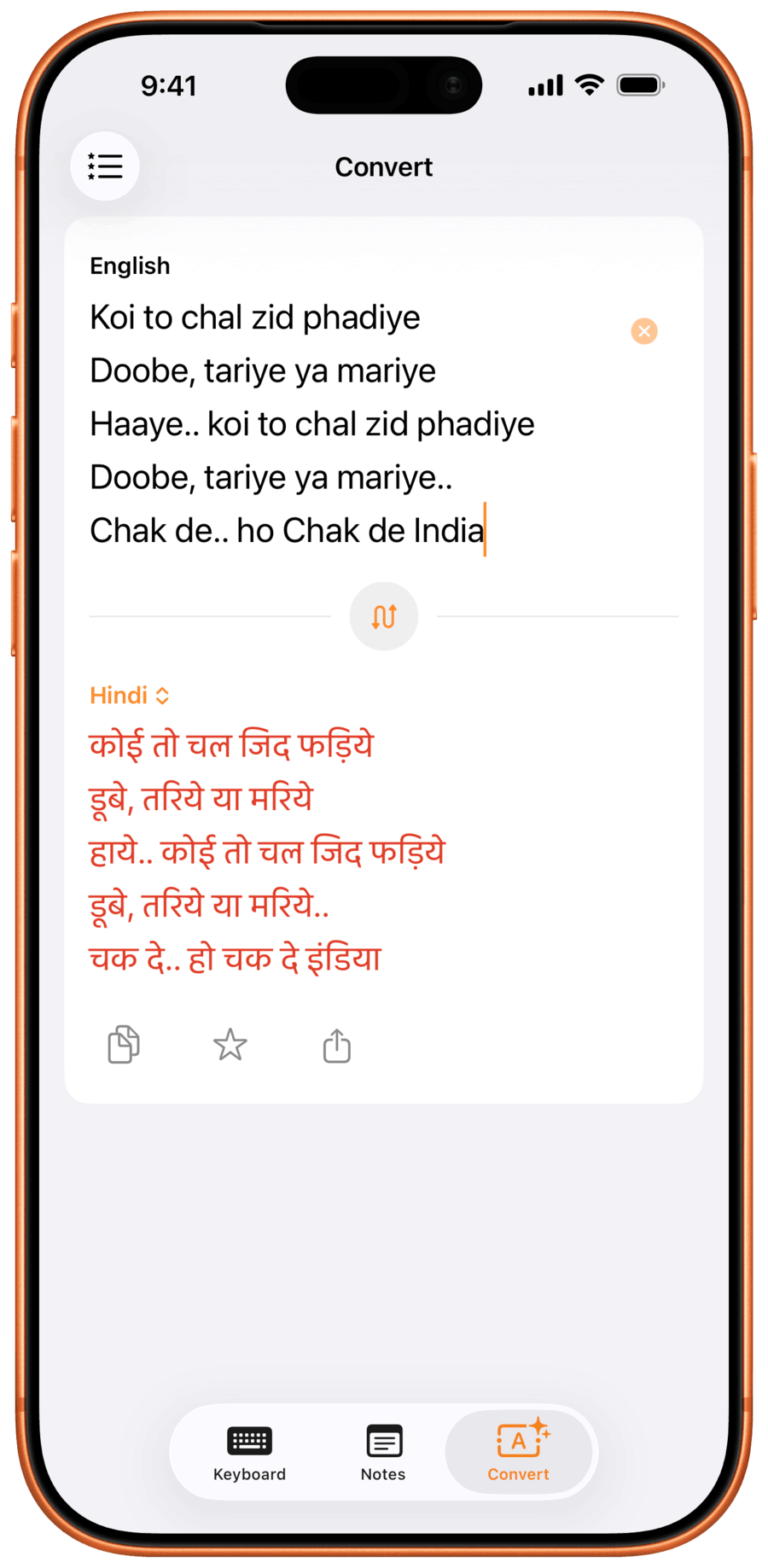
Akshar’s main app has a Notes tab for longer writing with live transliteration, a Convert tab that goes both ways (English to Indic and Indic to readable Roman), a Share-as-Artwork feature that turns any line into a poster-style image with native typography, widgets for the Lock Screen and Home Screen, three Control Centre tiles, and Siri and Shortcuts integration through App Intents.
Unlike many similar apps, Akshar is fully native, fully private, has no intrusive ads, and is designed to align with Apple’s Human Interface Guidelines for a truly native experience that feels right at home in iOS.
The Story Behind the App
Akshar was initially developed as a way to help Krishna practice the Kannada language together with his son.
My kid is learning Kannada, a language from the southern Indian state of Karnataka, at school, and I’ve been helping him practise. When I needed to type something in Kannada on my iPhone or iPad for him to read and work through, I realised I couldn’t do it easily. I’m used to writing by hand the old school way, as I did in school, and there were no dedicated mobile apps that made transliteration feel natural. So I built one.
Once Krishna had the main app working, he realized that a custom keyboard would help him write longer texts in apps like Notes, and let him message friends and family in his native language, from any app.
Looking at what was already available, Gboard tends to bury Indic transliteration deep in its settings. Switching between languages feels clunky, and the app hasn’t been meaningfully updated in years. Krishna wanted to build something that felt like it belonged in iOS. The word Akshar has a beautiful meaning in Indian culture and stands for something imperishable, indestructible, and immortal. It also means letter or syllable, which does resonate deeply with Krishna, being a writer at heart.
Implementing the Keyboard
Akshar excels with its first class local transliteration, which runs entirely on-device. It currently uses AI4Bharat’s IndicXlit, an open-source neural model from IIT Madras that is packaged as a Core ML model and runs on the Neural Engine. Latency stays under 30 milliseconds per suggestion, and nothing leaves the phone. There is no Akshar server, no analytics, no accounts.
The keyboard was built on top of KeyboardKit, which provides a foundation to create a custom native keyboard that looks and feels like the iOS system keyboard. Krishna has build custom features like keyboard settings, a script selector row, the language switching, and the Indic transliteration on top of KeyboardKit’s core features.
Outside the keyboard, the app uses WidgetKit for Lock Screen and Home Screen widgets, App Intents for Siri and Shortcuts, and Core Graphics for the Share-as-Artwork rendering. Settings, notes, and conversion history sync between devices through the user’s own iCloud account, encrypted in transit and at rest.
How did KeyboardKit help?
Building a custom iOS keyboard from scratch is a significant undertaking, especially when in’s meant to look and behave like the system keyboard. There’s a lot of complexity around input handling, keyboard layout, language switching, and making everything feel responsive and familiar to users.
KeyboardKit provided a solid, well-structured foundation, to let Krishna focus on what makes Akshar unique - the multi-language transliteration experience, the per-script typography, and the script selector.
KeyboardKit was essential to the project. The polish and finish of Akshar wouldn’t have been possible without it. The library architecture made it straightforward to customise the layout and behaviour to fit my specific needs, while keeping the keyboard feeling native and consistent with what iOS users expect. / Krishna Permi
A few specific places earned its keep. The suggestion toolbar was customized to render Indic glyphs at the right metrics, and the language switching - where Akshar rotates through all enabled scripts with the globe key - was straightforward thanks to KeyboardKit’s locale-context handling.
App-group sharing was another big win - keeping the IndicXlit Core ML model loaded in the keyboard process while letting the app use the same model just worked. Settings sync between the app and the keyboard, which is non-trivial in a sandboxed iOS keyboard, has been predictable thanks to the sync engine KeyboardKit provides.
The KeyboardKit layout engine allowed me to ship v1 in months instead of years, and the v3 version, with 21 languages, widgets, App Intents, Convert, and Share as Artwork, would not have been feasible in a reasonable timeframe without KeyboardKit. / Krishna Permi
We at KeyboardKit are happy to see apps like Akshar bring native, privacy-focused Indic typing to iPhone and iPad, making it easier for people everywhere to write in their native language.
News Coverage

Akshar has been covered across Indian and regional publications. The Indian Express ran the original story on how a father’s solution to his son’s Kannada homework became a free keyboard app for 21 Indian languages.
Mint followed up with a long-form feature by Aman Gupta and Tarunya Sanjay. The story was covered in Hindi by Zee News and in Kannada by Vartha Bharati. News Karnataka and Business News This Week covered the 3.0 launch in early May.
Download
You can download Akshar from the App Store to give it a try, and improve your Indic typing experience.